Subscribe
Share
Share
Embed
Welcome to the Sound On Sound People & Music Industry podcast channel. Listen to experts in the field, company founders, equipment designers, engineers, producers and educators.
More information and content can be found at https://www.soundonsound.com/podcasts | Facebook, Twitter and Instagram - @soundonsoundmag | YouTube - https://www.youtube.com/user/soundonsoundvideo
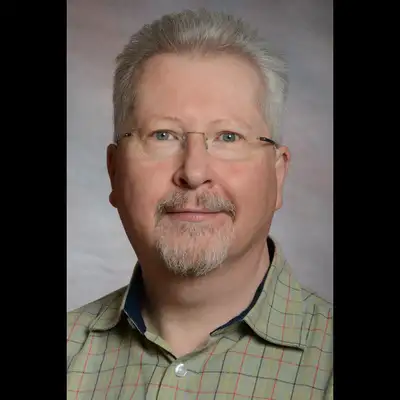
Hello and welcome to this Sound On Sound podcast in our people and music industry channel. I'm Huw Robjohns, the technical editor of Sound On Sound, and today I'm talking with David Gould, who's the director of audio content solutions at Dolby Labs. I'm here in the UK in my little studio. David's over there in San Francisco early in the morning.
And, uh, we're just gonna chat about immersive audio, how Dolby Atmos works with that, uh, and how you can create your own immersive audio effects using binaural on headphones.
So David, hello. Thanks for talking to me. Hey there. Thanks Hugh. And hi, everybody. Great to be here. Um, excited to, to talk about all the things going on with, with Dolby Atmos at the moment. It's, uh, it's very exciting just to see the amount of momentum that's building and the, the excitement in the industry.
around being able to create this way and the creative opportunity that's opening up for people and that's sort of the The key of why we do all of this is so that, you know, creative people have, have new toys to play with. And so, yeah, it's a fun time. Absolutely. It's an exciting time. And we've been through various iterations of, of surround sound, uh, and they all involve lots of loudspeakers and they're not very practical to have at home and all that kind of thing.
And these days people are listening on headphones so much more often that being able to create these immersive sound stages in headphones is a really attractive proposition. And you have systems that make that very practical. So. What I'm looking for is for you to explain to the listeners here how they can go about doing their own immersive stuff in binaural.
Absolutely. And yeah, you're absolutely right. I mean, the history of surround sound has involved lots of loudspeakers and, um, you know, even looking back on when we introduced Dolby Atmos in, uh, you know, streaming on televisions and, and for TV shows. The ability to have that playback out of a soundbar was another very important moment that you didn't now need to install overhead speakers or speakers behind you.
So the accessibility to the experience has been really key to, I think, the success of Dolby Atmos. But yeah, when we talk about music and creating on headphones, so there are a number of tools available. As you say, the Dolby Atmos technology has a built in virtualizer that will render to binaural, and this is something that's been evolving and improving, and we've been closely working with the industry to continue to evolve and tune that experience.
So we have a couple of products in market. Um, the Dolby Atmos production suite is, uh, a software application, um, and set of plugins and, uh, audio routing software that allows you to work in, um, many standard, uh, daws in Dolby Atmos. Uh, it's available in the Avid marketplace. It's, uh, $300, 250 pounds. And, uh, as I say, that is the, the, the key to really starting working in Atmos.
Once you have that, you can then connect that to your, uh, DAW of choice. Um, so for example, if you're a Pro Tools Ultimate user, that has a built in, uh, native object panner that can send metadata to the renderer. If you're a Logic user or an Ableton user, we have a music panner that's a free download that can do that same job of sending the, uh, metadata over to the renderer.
And, uh, there's something called the Dolby audio bridge that allows you to send audio from your audio workstation to the renderer. Actually, just one thing to say, there is a fully functional 90 day trial of the Dolby Atmos production suite available from developer. dolby. com. Um, so you can go and get that 90 days completely open trial.
Brilliant. Um, and there's a bunch of also getting started resources that, that are available if you go to professional support.doby.com, there are videos for getting started in, in Pro tools in, um, Ableton and in Logic. And we also recently put out a video series with a couple of folks, Luke and Maggie from the team at Dolby, who are both, you know, active music producers, musicians, and also working at Dolby, who kind of take you through everything from Beginning understanding the concepts all the way through to making your first master file, there's a dedicated video on mixing on headphones and some of the things to consider on mixing on headphones.
And so I definitely recommend, you know, go and spend 20 minutes watching some of those videos and you'll learn an awful lot about what it means to make some Dolby Atmos in some of these different environments. That's brilliant. Thank you. We'll, we'll put links to those in the support page for the, for the podcast.
The way the system works is it takes streams of audio, individual streams of audio and associated metadata, object metadata, which is about the, the, the position and the size of the object. And then the renderer knows your configuration. It knows how many loudspeakers are in your room and where they are, or it knows if you're listening on headphones.
And it's within the renderer itself that it takes those streams of audio and that metadata and renders it to your particular configuration. So when I talk about sending metadata, sending audio, that's all about getting the audio from your workstation and your metadata from your workstation into the renderer and then out of the renderer to whatever your speaker configuration is.
I know we're talking here about headphones. And that is, um, one of those output options. So you can plug in a pair of headphones and be listening binaurally. It's pretty amazing. The advancements that have been made in binaural rendering and the ability to do very meaningful, real work purely on headphones has been a really astonishing evolution to go through.
And, you know, lots of people can do a headphone virtualizer of sorts, but the ability to have A virtualizer and a renderer that allows this translation between loudspeakers and headphones is, is so important because you want to be making mixes that will scale. And that's one of the key things about Atmos.
Yes, you want to be able to create a monitor on headphones, but you also want that person with a, you know, a high end home system who's invested in the overhead speakers to also get an amazing experience. And you want to have been able to trust that the work you do on headphones will work on loudspeakers and vice versa.
So translation is key. And yeah, to get started, as I say, there are several paths available that all revolve around the Dolby Atmos production suite. Um, now going forward, we anticipate more and more tools will have some of that rendering natively built into the work version. Um, and that's a big area of focus for, for us at the moment is, is working with the industry, partnering with the industry to, um, make this as streamlined as possible for anyone making music.
We want to make it as easy as possible to just get up and running, plug in a pair of headphones and be working this way. Um, and, you know, we are, we're pretty close to that with the workflows that we have in place today. Um, but, you know, you can point to there are a couple of workstations out there, Blackmagic Resolve, uh, Standard Nuendo, that both have our speaker based rendering built in.
Um, so you don't need anything else from Dolby, you just buy a copy of, uh, the latest version of Nuendo or Resolve Studio, and you can feed your, your speaker system with Dolby Atmos, you don't need anything else. And we, we see that continuing to evolve, we see more functionality there, we see more workstations coming on board with that Starwick workflow as well.
So we're still, we're still on a journey here. But it's a it's a pretty exciting time at the moment. And you know, it's it's not just us either, which is fun. Um, there are a lot of other folks out there starting to, you know, update tools and workflows to support the atmosphere that you're thinking of kind of speaker manufacturers and monitor manufacturers and interface manufacturers.
You want to feed into immersive rooms. That's one side of it. But then there's also plug in manufacturers, you know, so it's like CargoCult with Flapper that's available as a 7. 1. 2 Plug in, so you can actually start using some of these more creative plugins within the Atmos environment. Can you tell me a little bit more about this idea of beds and, um, objects?
Yeah, absolutely. So, you know, the bed is, is really, um, It's a, it's a fixed configuration that will, you know, it will map to whatever speaker layout you're in. Uh, but it's sort of, it's designed to build on top of existing channel based formats. So we have 5. 1, we have 7. 1, we have stereo, that's a channel based format.
Um, and is, uh, and then we added the, the two overheads. Uh, to make this kind of 712 bed, and this can be very useful for, you know, things like reverbs, um, just generally static, uh, fixed sort of bass information, which is very different to the individual audio objects, which are then overlaid on top and are kept as discrete audio streams throughout the process.
And it's that audio plus metadata and that, um, object metadata that allows the system to really scale all the way from binaural through to loudspeakers. And actually one of the key things about the binaural virtualization is you can render each object individually rather than mixing it to channels and then rendering that binaurally.
You get to render each individual object in the binaural space, which just gives a much better binaural representation. Um, we also have some very specific, uh, binaural metadata that really allows you to get more depth out of that binaural representation. Um, and again, you can then, uh, per object have the ability to adjust the amount of binauralization that is applied to each individual object.
So, for example, a lead vocal, you may want to keep fairly kind of close and tight and intimate, but, you know, some synths and pad parts, you probably want to have a bit more space around them. You want to kind of create that space around you. And so we have these different headphone rendering modes that really allow you to have a very specific control of the headphone experience without necessarily having to impact the speaker experience.
Where you can mix it on speakers and get that experience in the room, but then with binaural as you're doing that virtualization, just have that extra level of control so that you can tweak the headphone mix a little separately. And so again, having the objects flow is what gives you the ability to have that, because it's not all mixed down to channels.
At time of creation. Hmm. Okay. Are there any practical limits as to how many objects you can have floating around in this system? There are, yeah. So we are, the system is limited to 128 channels, and that is, uh, the first 10 are fixed as a 712 bed. And that I was just talking about. And then the next 118 can either be beds or objects.
So you can have multiple beds. If there are reasons why you want to have multiple beds in general, that's more if you want to be able to kind of create stems and you want to have. a bed plus a set of objects for an individual stem. Um, but yeah, so 118 objects is the maximum that we support today. And, um, you know, it's one of those numbers that seemed like it would be more than anyone would ever possibly need when it first happened.
Very quickly you have people saying, Hey, I want more objects. How do I get more objects? So, you know, it's, it's like track counts and every other number that you put in place, thinking that no one will ever get there. And then of course they do. It's a challenge, isn't it? It is. And you know, it's natural.
And a lot of it comes down to not necessarily people wanting all of those. objects to be active at all times, it comes down to like session organization and wanting to group things and having enough flexibility within a template to do lots of things. So, you know, there are very practical reasons and there are reasons why people just want to kind of push the limits of what's possible.
But in general, we've not run into a case where someone couldn't achieve what they wanted to achieve with the 118 objects that are supported. And each of those, each of those has, as I say, the. The position as well as we have an object size control. Um, so that's just another kind of creative control that's offered.
That can allow you to just, you know, rather than every object being an individual point source, and just allow you to kind of spread things a little bit in the room. So, as you start building out the soundscape again, you can just get a bit more, um, uh, blurring between the sound when you want it, or you can have these very discrete point sources with lots of kind of space and depth and clarity at other time.
metadata as well. Correct. Yeah, so the metadata sends the position, it sends size. Um, it also, as I say, sends this final rendering node data. Um, there are a couple of other parameters as well that are, are more designed when you're doing sound for picture. Okay, so you create this material in your DAW, you, you get all your beds and objects laid out the way you want them.
You can play with metadata to make it all move around as you want, and obviously you can then render it as a stereo mix with the binaural encoding for putting up on a streaming site or, you know, sending to your mates, whatever, to listen to. How do you actually store this information as part of the project?
Right. So, well, there are a couple of different ways. I mean, as part of the project, the metadata is stored as automation. So, whatever workstation you're in, it's whether it's using a built in object panner, Or whether it's using one of the kind of plugins that are available. It's all just stored as automation within the project file.
So that, that's easy enough. And then we have a variety of, um, Dolby Atmos master file formats. The most commonly used is something called a B Wave ADM, audio description model, which is an extension for the broadcast wave format that allows you to store object metadata within a broadcast wave chunk. And the Dolby Atmos production suite that I mentioned, that allows you to export a file to ADM or actually, um, a couple of DAWs again, Pro Tools has a export to ADM directly from the timeline.
So if you've done a project in Pro Tools, you've used the native surround panel, you've monitored it through the production suite, when you're finished with your project, Make a selection and export that to ADM, and that will then create this file that's got up to 128 channels of audio in it, plus all of the necessary metadata that's associated with all of those individual objects.
And that is then your, your master file. You can think of that as kind of your equivalent of your stereo master file, but it's a single interleaved file. That is then encoded into, you know, one of the Dolby formats that can feed everything from a streaming service streaming to a mobile device through to a home theater system with an AVR through to a soundbar or a, you know, a Dolby Atmos enabled television or a, you know.
You know, an Echo Studio smart speaker or any of these endpoints that can support all the atmos, it's the encoding from the a DM file to the codec that allows for that. Oh, okay. You know, actually being able to do a, a stereo export of the binaural stream, um, to, you know, share your makes, as you say. But the, the challenge with that, and the reason why it's dangerous to then put that up on the streaming service is.
You don't want binaural audio to be played over loudspeakers. Ah, yes, okay, yeah. And you, if you start doing double processing to binaural, it can sound very bad. Like a lot of, you know, devices will have their own processing that will sit on top of, uh, whatever stereo stream that they get. So, if a device just sees something as a straight stereo stream, There's a lot of risks associated, like you'll get in the car and it'll think, oh, this is stereo audio and it'll start trying to play back over your loudspeakers.
And that's one of the things that the, the Atmos ecosystem tries to solve for is knowing about the end point, knowing if you're listening on headphones, you need the binaural. If you're listening on loudspeakers, you need the speaker representation. If you're listening in You know, whatever environment you get the right thing without any additional processing on top of it.
So while you can create that stereo binaural, you have to be careful that people only listen to it over headphones or else it's just not going to be the right thing. Yeah, yeah, very good point. Yes, I understand that. Um, so in your position, you must get to see and hear some quite impressive applications of this.
I'm very spoiled. I just felt it like that. What's, uh, what's impressed you with the way people have been using it so far? And in the idea that, um, you know, what can you say really works well and what might be best avoided for people that might be wanting to experiment with this? We're in a wonderful time of experimentation.
And I would say that there's no sort of predefined thing that works and predefined thing that doesn't work. Um, you know, one of the very first music tracks to be mixed in Doldy Atmos, um, I mean, this was seven, eight years ago now, was Rocketman by Elton John, and it's still one of A lot of people's favorite demo tracks because it just works.
I mean, it's a very traditional kind of upfront soundscape with the choir that just kind of floats around you. I think of it as like this audio hug. It just sort of it sits there and it just makes you feel warm and fuzzy and the slide guitar goes overhead. And so it feels like a very traditional mix, but just with this kind of sense of space and clarity and, you know, niceness.
Um, And then you get through to the other extreme where there's a, uh, a Beck track that's been mixed that, you know, has no vocals in front of you, all the vocals are behind you bouncing around. And it's cool. I mean, when you're in a well calibrated studio and you're listening to this thing, it's just like a really cool experience.
And it's a very, uh, a purposeful approach that they took to it because you can, it is full range, you can do these things. Um, and so we're seeing a lot of interesting uses of the space. You know, antiphonal stuff works really well, front back, like, you know, call response vocals, BVs, that kind of stuff can really work like the contrast, um, contrast is great.
Widening things, everyone loves things being wider and it's nice with, with Atmos, you can just kind of start pulling things off that sort of traditional left, right, LCR space and just giving everything a bit more space. Thanks. Because you're no longer having to necessarily try and cram everything into these two loudspeakers where you were having to do so much of this kind of clinical EQ and compression to give every sound their space in the mix to make it all work.
Suddenly, you've got this extra space and each, each element can have its own space to breathe, which means you're having to do less of this kind of extreme processing to make it all work. Um, but these are all, these are all things that are evolving, um, and, and people are learning, you know, there's, there's a school of thought of folks who are, um, setting up reverbs with different pre delay times and make multiple taps through the room so you can just send something to one reverb send and it will naturally just go through these three reverbs and so it just kind of flows through the room as a reverb.
And that's something that, you know, works pretty well as well in certain cases. But again, these are all things that are evolving and people are trying things and finding things that work and finding things that don't work as well. One word of warning that I'll give to folks who are using the bed and are maybe using the LFE channel for the first time.
Um, you know, LFE, Low Frequency Extension, is not designed to be a replacement for your baseline, you know, it's to extend what is in your mains, not to replace it. So, your mix needs to work, even if the LFE isn't there, because there are plenty of places throughout the entire ecosystem where LFE will get discarded.
It's designed to be something that can live alongside everything else. And, you know, we've seen mixes where, yeah, it's like, oh, I'm just going to route my kick and baseline to the LFE. And suddenly it goes through a processing where the LSD isn't there anymore, and you don't have a kick or a bassline anymore.
So, you know, those are some of the things that I think as people get into this world, especially in the music world, where there isn't so much familiarity with surround concepts in general, um, they're some of the things that we're running into and trying to make sure that we catch and deal with in a graceful way.
But from a creative point of view, we've been very Deliberate in not trying to define how one should mix and go the hours because that's not the point. There isn't a singular way to do this and the, the soundscape is very freeing compared to previous surround attempts where your surrounds were either band limited or calibrated to a different level or, you know, there was very much a front.
Now, creatively, you don't have to be so, um, limited by just thinking of kind of the front soundstage and then the reverb behind it. What about the numbers of people that are now working in Dolby Atmos? Are there a lot of people working in it? Is it a fairly small field still? For music, I mean, rather than for, you know, TV and film.
I mean, I, I can, I can say that since the, um. Apple Music announcement in, in June, it has exponentially increased the number of people working in Volbeat Atmosphere Music. And we were already on a pretty good track in terms of, um, kind of studios. And There's multiple layers to this. There's sort of commercially available studios at the capitals of the world, the Abbey Roads of the world, the, um, you know, Blackbirds of the world.
And that's sort of one category. And then there's just all of the independent professionals who have home studios on their own rooms that they work in. And that's where we've just seen this explosion in the past few months of people working. So yes, there's a lot of people working this way now, which is great.
And it's around the world as well. There's a big industry here in the U S there's a big industry in the UK, but Japan is huge. Um, Germany's got a lot going on, um, all over the world. We're seeing this stuff, um, really taking off in amazing ways. And it's very natural, which is, which is really nice because, you know, what, what Dolby has done many times throughout, you film, television, you know, all of these different areas is get all of the pieces in place to allow for this moment of explosion.
Like you can't have a ton of content. If there's no distribution, you can't have distribution. If there's no content, you have to kind of get both sides moving in lockstep, but they're both big sort of big things to move, big rocks to move. And so this was the moment where suddenly all of the people are like, well, I really like what I can do creatively, but.
Do I want to make the investment? Cause there's anyone going to hear is. As soon as, you know, you get Apple music, it's like, okay, now I know that I can do what I want to do creatively and people will hear it. Therefore, I'm going to make the investment. And then that happens. And then the next thing that happens is you find that there are more distribution services going.
Well, now there's all this great content. So now I want to be able to distribute it and it starts to become much more self fulfilling. And we've really had that moment in the past few months where the reality of consumers being able to hear this way. Has just opened up and that has meant that the the creative community is has really embraced it in an amazing way That sounds good.
You know, there's there's a ton of great content out there. Um, the you know, whether you're a title subscriber on uh an android device or You know, via like the, the title app on Apple TV, for example, if you have a home theater system, um, there's, there's a bunch of great content there. Obviously Apple music, uh, has an amazing, uh, catalog of content as well.
There's great playlists that just start to sort of, um, introduce you. I mean, modern pop, I find to be really compelling. Like The Weeknd, Ariana Grande. There's like, there's a bunch of really great punchy kind of modern pop. It's been mixed and out of most, it's just. It's a really, really fun experience.
There's some great classical stuff. Um, you know, good friend of mine, Peter Gregson, just put out a new contemporary classical album in Atmos. It's great. It's kind of cello, synth, and just really fills the room in an amazing way. Um, so, you know, check it out, but also, um, I really recommend anyone who is in music production, give it a go.
Um, and finally, what, you mentioned the Rocketman as being well worth a listen. What else would you recommend to get people into this? Put you on the spot with your music choices. I have to be very careful. I don't want to, I don't want to pick favorites. It's tough. Um, I mean, a couple of the ones I just mentioned, uh, Five Rings by Ariana Grande, Marvin Gaye, What's Going On?
That's actually an amazing mix. Okay. And that's one of those really interesting, you know, it came from, I think, an 8 track. And the magic that they were able to achieve creating this just, like, amazing sense of space. And, like, you're just in this party environment. It's like you're walking through a party where a bunch of people are making music and having fun.
And it's It's really cool. It's a really cool mess. Excellent. Well, that's really good advice. Thank you. Thank you so much for spending your time talking to me this morning. I really appreciate that. Yeah. Let's hope more people get into, uh, into mixing in Atmos. Thank you for listening. Please check out the show notes page for this episode, where you'll find lots more information along with a load of web links from Dolby that were mentioned earlier on and details of all the other episodes.
And lastly, please check out the soundonsound. com podcast web page. to explore what's available on all our other channels.