Subscribe
Share
Share
Embed
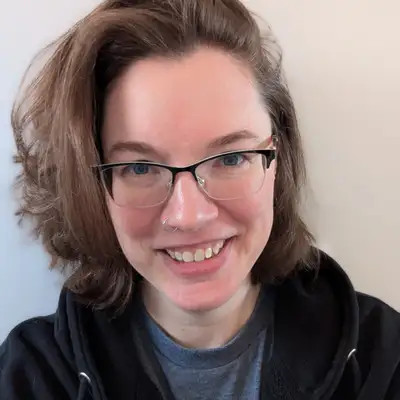

Some people hear the phrase "technical writing" and think it must be boring. We're here to show the full complexity and awesomeness of being a tech writer.
This podcast is for anyone who writes technical documentation of any kind, including those who may not feel comfortable calling themselves tech writers. Whether you create product documentation, support documentation, READMEs, or any other technical content—and whether you deal with imposter syndrome, lack formal training, or find yourself somewhere in the gray area between technical communications and general writing—there's a place for you here.
Each month, we publish two episodes: an interview with an amazing guest focusing on useful skills or tools that can help you improve your tech writing skills, and a behind-the-scenes solo episode with host Kate Mueller about what she’s working on, struggling with, or thinking about in her daily tech writing life.
The Not-Boring Tech Writer is generously sponsored by KnowledgeOwl, knowledge base software built for people who care, by people who care.
Kate Mueller: [00:00:04] Welcome to The Not-Boring Tech Writer, a podcast sponsored by KnowledgeOwl. Together, we hear from other writers to explore writing concepts and strategies, deepen our tech writing skills, get inspired, and connect with our distinctly not-boring tech writing community. If you’re passionate about documentation, you belong here, no matter your job title or experience level. Welcome!
Kate Mueller: [00:00:28] Hello, lovely, not-boring tech writers. I’m Kate Mueller and this is one of our solo episodes where I share things I’m thinking about or working on. I’m recording this episode at the end of September as the nor’easter that hit the East Coast is spinning out to sea, and I feel very grateful that nothing flooded where I live.
Kate Mueller: [00:00:46] First, my progress update. Since my last solo episode, I haven’t made any significant updates to the article editor documentation. I’ve instead been focusing on another project that I believe I mentioned in my last solo episode, which was helping with testing and writing pre-release docs for a new file import tool. That release also included a top navigation label change, so it was extra fun. In terms of the testing, the testing for this went fairly well. I was the second user tester, so a lot of the bugs had been caught and fixed already, but I felt pretty good about my contributions on the testing side because I was able to catch a few tentacles that impacted other areas of the app that had been overlooked previously. So I felt like it was a better release because of that. And the testing went reasonably quickly, but the docs took me much longer than I had hoped. I wasn’t quite sure how to scope the pre-release docs originally, but I think my goal was to handle the majority of the use cases for the file importer. And then once I started to really dig into the importer, I realized that there were way more possible use cases here than I had anticipated, and there was really no way that I could cover them all as pre-release docs. I’m not even sure if I’ll cover them all in the long run.
Kate Mueller: [00:02:10] So for pre-release, I focused on the two document imports I felt people would most want guidance on: Word documents and PDFs. We already had a Word importer, and so we had some existing documentation on that, but it was just a single long page. And the PDF importer was brand new, so it had no documentation whatsoever. And I originally started out thinking, okay, I’ll just update the one really long Word doc page and create a similarly long PDF importer page. And then I realized that the new importer supports a lot more options than the old one and that just felt overwhelming. And so I ultimately ended up creating new subcategories for each importer and then creating separate articles for each import use case. So it’s like 5 or 6 articles per subcategory for both of them.
Kate Mueller: [00:03:06] And then once I finished those, I actually struggled a bit figuring out what to prioritize next. And I ended up checking in with the feature champion for this release, who is Marybeth, and she seemed really happy with the coverage I had already. She did give me a list of other use cases that I could add later, but she didn’t feel that any of those was necessary for the pre-release documentation. And so I basically got to call what I had done good. I did make updates to a couple existing docs to add cross references and other info, and I drafted the release note that went out with the release. And then the other piece of this, which actually is more work on the docs side, way less work on the development side, is that we changed a top navigation label. So our very first top navigation menu label has been “Articles,” I think, since the dawn of time. And this release changed that from “Articles” to “Pages.” And we made this change because first of all, the page has always been a little misleadingly named because it contains both articles and categories, not just articles. So a) it makes it more accurate in general, but b) adding the file importer onto this page adds a whole lot more functionality. And so both articles and categories needed to be represented in some way, and recognizing that particularly new authors don’t always understand what an article is, but we all pretty much understand what a webpage is, we went with the broader label.
Kate Mueller: [00:04:46] However, since we’re not replacing the concept of articles, and articles are still a very core concept within KnowledgeOwl, it was not like I could just do a broad find and replace to replace every instance of the word “article” or “articles” with the word “page” or “pages.” I did a single find and replace on bolded instances of Articles with Pages. Since those are cases where we’re specifically mentioning the navigation label, although I did of course find like four exceptions to that as I was going through after the find and replace because that’s how life works. But I did that find and replace and then I ran a find search on Articles that weren’t bolded. And I manually reviewed all 263 pages where that word appeared to figure out if they were just the start of sentences talking about articles or cases where the page was being referenced, but not bolded. I thought that this piece of it would take me weeks, and it would be a terrible release tail, and it turned out I was able to do it in a single afternoon, which was a pleasant surprise, but really mind numbing. I was not a functional human the rest of that day, but getting that bit done does buy me a little breathing room for all the other things on my plate, so I can now return to the Teams app documentation that I needed to work on so that we can submit to the Microsoft Store approval for the app. And I thought that I could bang that out before the file importer and I didn’t. So it’s just kind of been sitting for weeks, which I feel bad about, but I’m going to do my best to get through it next week. And my plan is to tackle that documentation first. And then I can submerge myself back into the docs release tails for both the file importer and the article editor.
Kate Mueller: [00:06:43] I also delivered my first Wisdom Wednesday webinar of the fall. We’re trying to do a session roughly every two weeks through the end of the year. So I am at this point basically in a constant state of either prepping for and delivering the current webinar and/or creating the event and registration page and the outline and the materials for the next one. So the first Wisdom Wednesday I did was on using Owl Analytics, which is our built in analytics tooling. And maybe not a surprise to anyone other than me, it was our most well-attended session ever. We actually filled up all 50 seats that we had available. And by the time you listen to this episode right now that I’m recording, I also will have delivered the second session on using reader groups to show different content to different people. This is one of those quietly powerful features that not everyone knows KnowledgeOwl has, and I’m really stoked to introduce a bunch of folks to it and get to talk about it.
Kate Mueller: [00:07:43] And then after that, I’ll be doing sessions on optimizing search, authentication options, optimizing content for AI, our current AI features, using a custom syntax highlighter, and the new article editor. I do feel a little tired and overwhelmed just reading that list out loud, but I also have to admit that I love prepping for and delivering these sessions. So even though they are a lot of work and they do make it hard for me to stay up on all of my documentation tasks, I really look forward to doing them. It’s a very different energy. It’s a very different type of content organization and writing and speaking. Most of these sessions are KnowledgeOwl-specific. So if you’re not a KnowledgeOwl customer, they’re probably not very interesting to you, but a couple of them might be generalizable enough that I may share the registration links in future episodes. Most likely the optimizing content for AI and the custom syntax highlighting ones. And so if those sound interesting to you, you are welcome to join and see what I actually look like in real life when I’m not just a disembodied voice behind a microphone. I do think you get the best version of me here in the podcast. You don’t get distracted by my weird facial expressions, but you can be the judge if you want to sit in on one of the sessions, too.
Kate Mueller: [00:09:05] And my hope is that I can repurpose some of this Wisdom Wednesday live session content for future written content. I want to use the instructional design elements that I’m using to help structure these sessions to then gradually build out some proper learning modules. But right now I’m…like, let’s be realistic. When am I going to have time to do that? I have no idea. But it is a goal nonetheless. And of course, I’ve also been reflecting on my interview with Jenna “Jennissary.” One of the constant delights of hosting this podcast is all of the people I get to meet as a result of it, and all of the different ways I get to think about technical writing or learn about different varieties or genres of technical writing, and Jenna’s episode was a huge learning moment for me. I was aware that audio description existed, but honestly, I’d never given much thought into how it got there and the amount of work involved. An hour of work to get ten minutes of good audio description in the end product is kind of mind boggling, but also awesome that there are all these people putting all this time, energy, and effort to create these inclusive experiences for folks.
Kate Mueller: [00:10:23] And the technical challenges of writing accurate description in short little time segments so that it can be worked in around the existing audio and trying to make sure those things flow well, combined with trying to make things smooth and easy for the narrators, avoiding tongue twisters, trying to work with accents, maybe trying to avoid alliteration. And then also adhering to sometimes really highly specific guidelines. What a fascinating puzzle of technical writing that requires a little bit of extra creativity. It really seems like an area where you could dip your toes in fairly simply by contributing at YouDescribe, as Jenna mentioned, and I will admit, I’ve gone a little bit down a research rabbit hole here because I was intrigued by it. So a couple resources I found that you might want to check out if you want to explore more: The Audio Description Project, which Jenna mentioned, has an entire page dedicated to training opportunities and learning materials. And if you’re listening to this, you probably are a podcast person and though I haven’t checked it out yet, the Audio Description Network Alliance has a podcast called “The ADNA Presents,” in which they interview audio description professionals. I will link to both of those resources in the show notes for this episode, in case you want to check them out. Just generally it seems like a really interesting avenue for technical writers looking to change things up a bit, especially if you have some domain expertise that might be useful.
Kate Mueller: [00:11:55] This episode is sponsored by KnowledgeOwl, your team’s next knowledge base solution. You don’t have to be a technical wizard to use KnowledgeOwl. Our intuitive, robust features empower teammates of all feathers to spend more time on content and less time on administration. Learn more and sign up for a free 30-day trial at knowledgeowl.com.
Kate Mueller: [00:12:18] I keep returning to something Jenna said when I asked her to describe what makes a good AD writer. And she said that while it wasn’t necessarily a core requirement, the best AD writers are able to work collaboratively well. I really liked the distinction she made that this wasn’t about working together on a group project that you’re all going to hand in at the end, but that with audio description writing, and particularly with big projects like feature length films or things like that, multiple writers will be working on different segments of the project, just because of how much work it takes to get through audio of that length. And all of those different writers need to make it sound fluid and consistent, like it was a single sort of aesthetic or writer throughout.
Kate Mueller: [00:13:09] And I think this is a problem a lot of us have in the tech writing world. It’s why we have style guides. It’s why we have review processes that we’re trying to standardize things but not lose the heart of them. And so in this case, working collaboratively rather than being group project-y feels more like it has a couple components to it: whether you can create and follow a shared style guide and whether you practice good knowledge management or not. So things like are you documenting choices you made and how to handle a character or a situation in terms of how you’re describing them, the language you’re using, which salient details you picked out about them? Are you adding to existing documentation quickly so you don’t hold up anyone else or make them have to redo work because they didn’t have the same info, and now you’re kind of out of alignment on some of those segments? Are you able to recognize gaps in what other people might be writing that you can help fill or anticipate questions other writers might have to confront? Or conversely, can you identify gaps you’re running into or questions that other writers might have already confronted and solved? And are you actually seeking clarification or input on those to make sure that you aren’t re-solving a problem that someone else has already solved in a different way? And that, for me, is a lot less about collaborative work in a group project sense, and more about creating, maintaining, and participating in a collaborative culture and capturing knowledge and managing that knowledge well.
Kate Mueller: [00:14:50] You’re building the culture and expectations for this project as you go. And recognizing that those elements need to be intentionally crafted and documented and communicated really changes how the project itself might turn out. I suspect that “docs or it didn’t happen” is a very real motto in the audio description world, although I did not run that by Jenna, so I might be out on a limb all by myself. And actually, all this talk about documenting the work that you’re doing reminds me that I also need to do some internal documentation for the processes I’m using for these Wisdom Wednesday sessions, particularly because we’re using a new webinar platform, and the setup process has been a learning curve. There’s a good chance that I will forget some things if I don’t document them, and also if I ever have a hope of someone else on the team jumping in to help, I really need to document these decisions to make that collaboration easier. And speaking of needing to document things, I would like to return to something that I haven’t talked about in months. But just in case you thought that my little reflections were like, I’m only doing this for the solo episode and then jettisoning it from my brain forever, I really do still think about these things.
Kate Mueller: [00:16:04] Back at the start of the year, in episode 24 with Kate Pond, we talked about her use of a Google form to capture things about each workday as a form of self-documentation. And as a result of that conversation, I created a Google form for myself to do that work, and I have now been using that form for over nine months. So I felt like that was a long enough time to actually come back and revisit it and say, yes, this has been largely a success for me. Also, there’s something about the fall that makes me want to tidy and also get rid of things I don’t use, and this is a thing that I am keeping because I have been using it and I have gotten value out of it. So I still use this form every day. Every work day, that is, I don’t use it in my personal life. I find it incredibly useful to help me keep track of what I’ve worked on. And maybe more importantly for me at this point, is how I felt about what I worked on. So I do a “how do you feel at the end of the day on a scale of 1 to 5?” basically. I’ve made very few changes to it other than making a couple questions optional and some maintenance things like adding or removing clients as I begin and end contracts. But otherwise it’s stayed pretty consistent.
Kate Mueller: [00:17:24] So I’ve been collecting the same data more or less for almost ten months at this point. And I have finally started using it to help me with my weekly check-ins at KnowledgeOwl, which was a goal I had for the form in the very beginning, but it wasn’t something I actually used it for until maybe about halfway through this year. And to be honest, the main reason I’m using it now for this is that the last couple months have been extremely stressful in my personal life, and when I get really stressed out, I have a little bit more trouble remembering things. And so I was finding that by the time the end of the week rolled around and I was going to do my weekly check-in at KnowledgeOwl, I had often forgotten what I was working on at the start of the week and how I felt about it. And so for those weeks, I have gone back to my daily check-in responses to look at both my average energy rating and to read through my notes about who I worked with and what I worked with them on. And that has made my weekly check-ins a bit more detailed and a lot less likely to have recency bias, both of which were concerns for me, both of which were goals I had for this form. So it took me six months of use before I started using it in this way.
Kate Mueller: [00:18:40] But it has really been a game changer for me to have that data to go back to. So it’s been a really good personal experiment. I’m sticking with it. I don’t even think I’m going to make any other changes. And a very, very belated thank you and shout-out to Kate Pond for coming on to talk about it, because it has actually really been great. And in the land of other things people have asked me for follow-ups on, I have had a couple folks reach out to ask about my mouse infestation situation, which was a huge theme in 2025, and which I don’t know that I’ve mentioned in many solo episodes this year. So at this point, whatever infestation is there is very quiet and has lulled me into what is probably a false sense of security. The combination that has worked for me is that I have set up monthly calendar reminders. Basically, I walk the perimeter of the house to try to check for new entry points around the basement, which does not have a poured foundation. It’s just like two by sixes with plywood over them. So it’s pretty easy for the mice to find ways in just burrowing under the two by sixes. And so I look for those entry points and I fill them with steel wool. That’s a really hard phrase to say. And I fill them with steel wool. And then I’ve been spraying repellent around the base of the house on basically the same schedule. Those are tasks I do on the same day, and I’ve been doing that for months and months now. And in that time, I haven’t heard any mice in the walls, and I haven’t seen any signs of them coming onto the main floor of the house for this year. So I would say the efforts are doing enough for my purposes as a renter. If I owned this property, I would not consider that enough. But I think the two of these combined, that daily check-in form and my mouse repelling activities maybe is just my way of offering a public service announcement about how meaningful it is to set yourself reminders that you will actually do for tasks you know you’ll overlook otherwise. I don’t use a lot of reminders. I personally find them really overwhelming and I feel nagged by them and so I have to use them very judiciously. But in this case, I have a daily reminder to fill out my check-in form. And then I have monthly reminders for the mice tasks. And those two tactics are serving me well. I use very few reminders aside from that. If you’re using a lot, this is also my PSA to say, hey, maybe audit the reminders you’re using and see if they’re actually needed, necessary, and doing things.
Kate Mueller: [00:21:27] And normally, I like to round out the episode by saying, this month I’m going to focus on blah, blah, blah. And often these are very aspirational. And I’ll be honest and say this month, I don’t have any particularly lofty expectations. I’m just trying to keep chugging along at my ever-growing backlog and keep the Wisdom Wednesday session momentum going, and still trying to be a pleasant colleague and partner and human, sometimes with mixed results on all of the above. And presumably once some of my personal chaos settles down, I will probably set some bigger goals and this section will return to that. But for now, I’m just trying to slide into fall without overcommitting myself to any one thing. And if you are in a similar place and maybe needed someone to say, “Hey, it’s okay to just tread water for a bit,” consider this that moment. It’s okay to just tread water for a bit. Some months we get to be wildly productive and tackle a lot of things, and some months we need to recover from that high pace. And some months we’re somewhere in the middle of those things. And I don’t think it’s realistic to pretend like I’m hitting that high pace of productivity every month. So this is me saying to you, it’s okay if this month is at either end of that spectrum or awkwardly lingering in the middle. What matters is that we’re still here and we’re still plugging along.
Kate Mueller: [00:22:56] And sometimes that in and of itself is a massive achievement. As always, if you have ideas for topics or guests, if there’s a bit of the tech writing world that your life would be improved by hearing an episode on, or if you’d just like to tell us what you’re getting out of the show, or you want to poke me about something I did an episode on months ago and haven’t followed up about, please message us on LinkedIn or Bluesky @thenotboringtechwriter or email tnbtw@knowledgeowl.com. You can also hit up thenotboringtechwriter.com and select “Suggest a guest” to recommend yourself or someone else as a new guest.
Kate Mueller: [00:23:39] The Not-Boring Tech Writer is co-produced by our podcast Head of Operations, Chad Timblin, and me. Post-production is handled by the lovely humans at Astronomic Audio with editing by Dillon, transcription by Madi, and general post-production support by Been and Alex. Our theme song is by Brightside Studio. Our artwork is by Bill Netherlands. You can order The Not-Boring Tech Writer t-shirts, stickers, mugs, and other merch from the Merch tab on thenotboringtechwriter.com. You can check out KnowledgeOwl’s products at knowledgeowl.com. And if you want to work with me on docs, knowledge management coaching, or revamping an existing knowledge base, go to knowledgewithsass.com. Until next time, I’m Kate Mueller, and you are the not-boring tech writer.