Subscribe
Share
Share
Embed
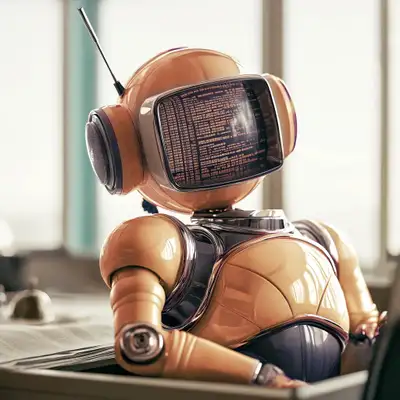
Old school thinking meets new tech — an unfiltered podcast, hosted by Ran Aroussi and a co-host you won’t see coming.
Live every episode. No production lag, no editing. Business, AI, tech, startup ideas, and whatever's worth talking about — through the lens of someone who's been building production systems for 35+ years
SPEAKER_01: Welcome to the third
episode of Old School New Tech.
How are you doing?
All good on my side.
How about you?
Feeling ready to dig into the
cockroach of interfaces?
SPEAKER_00: Yes, I'm uh a bit
still wild up about the audio
settings that crashed a minute
before starting.
But anyway, let's uh let's get
uh down to today's episode.
I was thinking of um uh spicing
things up and maybe shuffling
things around and have you be
the main host and you lead the
way, ask questions, um basically
it's it's your show today.
Take it away.
SPEAKER_01: Let's do this.
Welcome to old school new tech,
episode three.
Let's kick off with the central
claim.
The terminal is the cockroach of
interfaces, the thing that never
dies.
But we're not letting it rest on
nostalgia.
Why does the terminal keep
winning structurally, not just
sentimentally?
And what's the real implication
when we hand a shell to an AI?
Ran, I'm going to push you.
Let's see if the terminal really
earns its keep for someone who's
not you.
First question: is the terminal
really the best tool for
everyone, or is this just about
power users?
SPEAKER_00: Alright, so this
takes me back 30 odd years ago.
Okay, when I started uh using
computers and was just uh
learning, it was um we didn't
call it the CLI, we just called
it the terminal uh or the
computer.
There wasn't any other thing to
uh to use.
And uh actually the the name
terminal came from end
computers, kind of the edge
computers being uh in everyone's
home, uh being just a client or
a terminal that hooks up to the
mainframe.
But yeah, so the that blinking
cursor in the terminal is or was
the computer, and I found it
very funny that kind of we went
full circle, it was an effort of
decades to kind of steer away
from uh from the CLI.
CLI for the non-techies here is
command-lined interface.
Okay, so it's a command-line
interface, that's uh the
acronym.
But yeah, the the goal for
decades was let's try to get
away from CLI, and uh there was
no um uh GUI uh when as I
mentioned when I started, and
then things started happening.
But what happened is that uh the
power users, as you called them.
SPEAKER_01: Exactly.
SPEAKER_00: One second, one
second.
I think go ahead.
All right, I wasn't streaming.
Uh never mind.
Uh we'll just keep that recorded
and I'll and I'll uh upload it
later.
So, yeah, so what happened is
that the um power users kept
using CLI because they found it
to be faster, more equipped with
what they need to do.
It has amazing capabilities, and
um they're the one that that
kept on using it.
And we saw in the AI space the
same process of what I've been
through, only backwards.
So they started with with a web
chat interface, or with ChatGPT
was introduced, or started with
the web chat interface, and then
it um uh they uh introduced an
API, which internally they
probably always had.
Uh, and then the first kind of
interface uh that the public got
access to was uh the CLI uh with
tools like Cloth Code.
Uh and only then came the
desktop applications.
And I think there's a reason, is
because those power users and
those companies are uh were
using and I assume still use the
CLI as their main interface, and
that's the tools that they built
from this for themselves, and
hence uh the first tool, the
first interface that they've
used.
So uh to to sum up kind of the
the first act, I would say that
despite 30 years or 40 years of
uh efforts to stay clear and
kind of get over the CLI, it is
like the cockroach uh after a
nuclear attack, it is
cockroaches uh of interfaces,
and um it just still is around.
And I would like to hear your
thoughts about why you think
that is, what's so powerful
about the CLI, and why did all
the um AI labs went through that
same route of uh and even before
the AI labs, companies like
Stripe, etc., they all went
through the same route of let's
uh give you a web interface and
then straight to the CLI.
SPEAKER_01: Spot on.
And here's the structural
reason.
The CLI survives because it's
the lowest level, most direct
interface to the machine.
And that's exactly why those AI
labs followed the same pattern.
The web chat is the demo layer,
but the moment you want real
power user control, you drop
down to the command line.
It's not nostalgia, it's
composability.
Small tools, piping outputs to
inputs, direct access to logs,
no abstraction in between.
SPEAKER_00: So you mentioned uh
pipe.
Can you kind of uh give uh a bit
of uh information about what are
pipes and the terminal to those
who are not used to living in
the terminal like uh l like
senior devs and just explain
what's so powerful about that?
SPEAKER_01: Absolutely.
Pipes are a way to take the
output of one command and feed
it directly as the input to
another command.
It's like chaining tools
together in a sequence, each
doing one specialized job.
For example, you might list some
files, then filter that list,
and then count the results, all
in one line.
It's powerful because it's
modular.
You're not locked into one
monolithic program.
You're composing simple,
flexible commands into something
more powerful.
And that's the essence of the
terminal strength.
SPEAKER_00: Right.
And it's funny that you mention
that because you know a few
years back, I ran uh an
algorithmic trading company uh
or startup, and um we we used to
deal with lots of uh market
data, which comes in buttloads,
right?
So we had to deal with
tick-level data, which is
microsecond-level data of every
single trade and every single
order that happened, and then
from that we had to aggregate it
to uh second level and
minute-level data and kind of
derived uh what people used to
um are more familiar with, kind
of the minute-level candles and
uh uh hourly candles and so
forth.
And um, no matter what we did,
um we and we used powerful tools
like um Kafka for ingesting in
Click House as the database and
a few layers of caching and
everything.
So we did everything that we
could, but nothing for
processing that data uh once we
had it and converted in the, as
I mentioned, to higher uh level
uh or higher frequency type of
uh candles, nothing was faster
than manipulate the those CSV
files through the terminal.
It was one command to chunk
them, to uh move them between uh
servers, aggregate the data.
It was all extremely fast, uh,
much faster than writing things
in Python, Go, and even C.
Yeah, that it is that powerful.
And I think that's why a lot of
uh developers kind of tend to uh
lean into it, and that's what
we're seeing.
SPEAKER_01: Exactly.
And that speed and flexibility
are why the terminal isn't just
sticking around, it's thriving
in the AI era.
It's not about being old school,
it's about having a direct,
composable interface.
You didn't need a GUI or a
heavyweight script when a single
pipeline of shell commands could
transform massive data
instantly.
That's the underlying
architecture advantage.
It's not sentimental, it's
structural.
SPEAKER_00: But having X access
to logs and have being able to
manipulate files and have direct
control over the uh computer
itself, uh maybe not the UI of
the computer for that, you need
a different layer.
But having all that access is
what makes uh AI coding agents
and AI agents in general be so
powerful in the terminal.
And you have to understand that
every time a company introduces
something like the Claude
Desktop or Codex, they're
running a lot of the um core
loops and tools and
manipulations on a shell that
you just don't see on the CLI
that you don't see.
Um they're still running it over
there, and then they generate
the output uh with artifacts and
all of that stuff.
Uh, that's just the output
presented nicely to you.
But even the images and even the
graph the diagrams and graphs
and whatever it may be is still
being generated on the CLI
level.
So these are really just in most
cases, I'm not saying in all
cases, some cases are truly
unique to the GUI, but in most
cases, they're are trying to put
a nice face on a uh a not so
inviting interface in order to
appeal to the broader market.
Would you agree with that
assumption?
SPEAKER_01: Absolutely.
That nice face is for the mass
market, but the core of the
operation is still that raw,
powerful command line logic
underneath.
That's why they ship the CLI to
the power users first.
The terminal is where the real
machine control happens, even if
the final product looks polished
and friendly.
SPEAKER_00: Now, my whole kind
of thesis for this um for this
uh episode today was that I
think that even the
non-developers and the non-tech
and even the C-suite should get
comfortable with the CLI just
because it gives them a lot more
power.
And maybe you can come up with
uh a few reasons for them.
What do you think that is?
First, uh the why why do you
think they should uh jump on the
CLI?
Maybe not for all of their work,
but for some of it.
And what do you think the
benefits will be on the in the
long term compared to s just
doing things faster now?
What do you think they'll gain
in the longer term uh using the
CLI?
SPEAKER_01: Long term, they gain
true understanding of what the
system is doing.
It's not just speed, it's
visibility.
They can inspect logs, track
down issues, and supervise
agents directly.
They'll rely less on
intermediaries.
And as agents automate more
tasks, having that supervisory
layer at the CLI level means
they stay in control.
That's the real long-term
benefit.
SPEAKER_00: I've also noticed
that the people who uh dig into
the CLI, even if it's just to
use uh clawed code or a list of
directory, let's let's keep it
basic.
Okay, that let's consider that's
all they're doing.
They are still less intimidated
by the computer that the more
time goes by because they've
they've seen how it works.
It's like opening the hood of uh
of a car.
When you open up uh a Tesla, you
you see nothing there.
I'm not saying it's a bad car,
it's an excellent car, but the
experience and what you learned
on how it works is just
non-existent.
Uh, but if you are gonna pop up
the hood of an older car, you're
gonna see exactly how the engine
is built, and you you're gonna
see the wires going into the
battery and all the pipes and
the cooling, and you'll
understand more.
And um a mechanic, uh friend of
mine, uh maybe 10 years ago,
complained on how the the fact
that uh every car is a computer
now just makes their lives a
whole lot easier.
It used to take them 30 minutes
to fix a minor issue, and now
they have to take apart half of
the car just to change a pipe
that costs 10 bucks.
Um you end up with a$500 bill
just because of the amount of
work they had to put in.
So it's it's kind of the same
analogy uh with uh with I think
the CLI, you get closer to how
things actually work, which
makes you more confident in what
you're doing in the outputs of
the the um of the software that
you're using and in your own
abilities.
I think it it uh leans a lot
into uh into uh building that
sense of agency.
SPEAKER_01: Exactly.
And that sense of agency is key.
When you interact at the CLI
level, you're right at the layer
where the machine responds
instantly to your commands.
You see exactly what's happening
under the hood.
That builds real confidence,
even for non-developers.
It's not just about being faster
today, it's about being more
capable tomorrow.
SPEAKER_00: So, how would you,
if it was up to you and you had
to create like a getting started
guide with the CLI for uh the
C-suite or their the
non-technical founder, someone
who uh runs a flower shop or
whatever it may be, uh they
still need to use AI tools uh uh
that are a bit more than opening
up Chat GPT.
So, what would you recommend as
uh kind of as a quick roadmap of
getting familiar with CLI?
Because after that I want to
discuss about some of the
dangers uh that comes from that
same power.
Great plan.
SPEAKER_01: The quick roadmap
for an get comfortable with
simple commands.
SPEAKER_00: You got cut off
there.
Can you restart uh that last
sentence?
SPEAKER_01: Of course.
From there, you can go deeper
step by step, gradually building
more comfort and capability.
So give us those step by steps.
Alright, let's break it down.
Step one, open the terminal and
run a command like ls to list
files.
Step two, change directories
with CD and navigate around.
Step three, open a file with cat
or less to peek inside.
Step four, try a simple pipe,
like listing files and filtering
with grep.
And step five, run a small
AI-related command, something
that triggers an automated task.
That builds a foundation.
SPEAKER_00: I would probably ask
if we're talking about uh um AI,
obviously, I would probably fire
up something like fall code and
in the terminal and just tell it
to um teach me how to navigate
this thing.
Show me what to do, where to do
it, let's do it uh together, and
um have it be your hands-on
tutor.
I think you're gonna gain a lot
of uh a lot of value from
working that way.
SPEAKER_01: Spot on.
Using an AI assistant right
inside the terminal as your
guide gives you that extra
confidence.
You're learning by doing, and
the agent can walk you through
each step.
That's a brilliant way for a
non-technical user to get
familiar quickly.
SPEAKER_00: All right.
So we mentioned that uh and we
talked about how uh the CLI gets
you a lot closer to the ground,
a lot closer to how the machine
actually works.
But that also comes with, you
know, as a uh famous saying
says, with the great power comes
great responsibilities.
That same power abilities that
you have on your computer can
also be uh destructive.
So what are some of the things
that you probably have to be
aware of?
SPEAKER_01: One major thing is
the absence of guardrails.
The command line runs exactly
what you tell it.
No are you sure prompts.
A single mistyped command can
delete critical files or bring
down a system.
So always double check
destructive commands and know
that the power and the danger
are two sides of the same coin.
SPEAKER_00: I would add never
type in a command you uh found
on the internet without fully
understanding it, uh, and maybe
uh consulting your uh AI about
it.
Uh because you're gonna find a
lot of uh people online
recommending that you're gonna
run something like uh RMRF.
This is basically RM is remove,
and RF is uh to do it
recursively, and F means to do
it forcefully.
So there's no confirmation
dialogue, there's nothing coming
in.
You're just going to delete your
entire operating system and your
entire drive.
Uh with really no, there's no
recycling bin uh in the in the
terminals.
So don't and people just sharing
this as a gag, like like it's
funny, it's uh a harmless prank,
but uh you do not want to just
copy and paste commands you
found somewhere without fully
understanding what they're what
there are.
SPEAKER_01: Absolutely.
It's crucial to slow down and
understand each command.
An AI tutor can help explain
what a command does before you
run it.
That way you stay in control and
avoid unnecessary disasters.
SPEAKER_00: All right, so let's
um let's summarize because on
the next uh uh episode I would
like to talk more about how to
enable more agency in this day
and age and why you um why you
even as a non-techie, and I know
that usually I talk to the tech
crowd, but I think that it's
also important to bring the
non-tech people, the
non-developers into that into
that mix.
And I think that you know, uh if
we have to separate, I think
that the UI is where you look at
the work that you've produced.
It's a lot pleasant, uh much
more pleasant to look at files
on the UI and read documents in
the UI, uh, on the GUI, I mean,
and uh do things that you can't
even do on the terminal, like
looking at graphic files.
But I think that terminal is
where the actual work happens,
and specifically work that uh is
uh uh data driven.
And um even though we kind of
spent the past few decades now
trying to hide the machine in a
nice interface and uh making it
all nice and pretty with nice
buttons and layout.
Well, this is great, but every
time, especially developers and
engineers, um whenever we needed
to do some serious work, we
immediately fire up the
terminal.
And I think that uh the reason
is I don't think that the CLI is
surviving despite of an I.
I think that prop possibly AI is
the best argument for getting
into using the terminal if you
haven't already.
Uh, and I think that uh gives
you a lot more control and a lot
more power uh into getting the
job you really are trying to do.
Like I work with the Claude
Desktop and I work with uh
Claude uh co-work, whatever it's
called, and I work with the
terminal on different tasks, and
obviously, because sometimes
it's just more convenient to
look at files and read documents
on the GUI.
But whenever it needs to um
access uh files on my system, it
goes through this whole drama of
let me check if I have a file uh
system MCP and let me check if I
can do that and if the file is
readable.
And um I I I I don't I I don't
have time for this.
I just want to uh uh get down to
um to having it do the work.
So whenever I need to actually
do something that's outside of a
pure chat, uh I'm on the
terminal.
And and the the other it goes
also the other way.
If I only need to do a ch all
I'm doing is a chat and I don't
need to kind of for let's say
for brainstorming and I don't
need to access any file or do
any work, I'll prefer the chat
interface.
The I'll prefer the GUI.
But it's really depends on what
I'm trying to achieve.
SPEAKER_01: Exactly.
It's all about the task.
The GUI is where you reflect on
the output, the terminal is
where you get the heavy lifting
done, especially when you need
that direct machine control.
And AI makes Batterminal even
more powerful.
SPEAKER_00: Alright.
So I think that's it for today.
Do you have any final words you
want to close up?
I mean, uh you're the host.
I think you could be a bit more
verbose next time when you're a
host, uh, but you've done a
pretty good job.
So are there any last words uh
that you wanna take us out with?
SPEAKER_01: Fair point.
I'll lean in more next time.
One last thought.
The terminal isn't just for the
tech crowd anymore, it's the
place where human agency and AI
capability meet.
And next time, we'll dig into
how to wield that power wisely.
SPEAKER_00: Alright.
So thank you everyone who uh
joined us and listened to this
episode.
I did not stream this one
because of the uh issues that
I've had with the uh AV setup
here, but this episode still
goes on the um on the YouTube
channel and still goes on the uh
X uh account, so feel free to
comment, like, subscribe, you
know, this whole shebang thing.
And uh we'll see you next time,
hopefully live.
Cheers.
SPEAKER_01: Cheers everyone.
Looking forward to next time,
live and uninterrupted.