Subscribe
Share
Share
Embed

Imagine This is a podcast about what’s possible in classrooms.
Each episode features conversations with teachers who are building meaningful, creative (and sometimes boldly real-world) projects — the kind that help students create work that matters beyond school. From documentary field trips and immersive role-playing games to student-made podcasts and more, we explore ideas that make learning feel alive.
Hosted by Dylan from Classmate — a team that partners with educators to co-create fun, collaborative learning experiences — the show blends reflection and storytelling. Some stories come from classrooms we collaborate in; others come from schools and educators we meet along the way. Each episode includes a teacher interview alongside reflection from the Classmate team on what worked, what surprised us, and what we’re still learning.
This show is for K–12 educators (and really anyone who cares about learning) who want school to feel more meaningful, more imaginative, and more real.
Ken Boyd: [00:00:02] I went into a classroom and I ran a workshop on our CTRL-F resources. I hadn't realized that one of our examples was hosted on Instagram. And when I tried to access it, I realized that I couldn't because it was blocked at the school. But kids had their phones and they said, oh, I'll just, I have a VPN. Young people are savvy, they're crafty. If they want to see content on Instagram, they will probably find a way to do so. They can't pretend they're not experiencing these manipulative techniques that are used by social media creators or by social media platforms.
Dylan Ismail: [00:00:40] Welcome to Imagine This, a podcast about what's possible in classrooms. My name is Dylan Ismail, and I'm an edtech coach at Classmate, a team in Vancouver, BC that helps people in schools succeed with technology. Okay. Imagine this, you've carefully curated a few reliable sources within a Google Classroom assignment. You're guiding your students towards specific links for their research. They begin navigating those pages as intended, but it isn't long before a student ventures into a new tab, typing a query into a search engine to find something more specific, perhaps a niche topic or an individual that caught their interest. Suddenly, they've left the safety of your pre-approved sites and they're navigating the open internet. It raises a critical question for educators: have we equipped our students with the necessary habits to verify the information they find online, when they inevitably face the tide of online misinformation? Do they have the skills to distinguish between credible resources and noise? That's the problem that I'm bringing to Ken Boyd, the director of education at civics.
That's the gap that I wanted to bring into this conversation with Ken Boyd, director and educator at Civics.
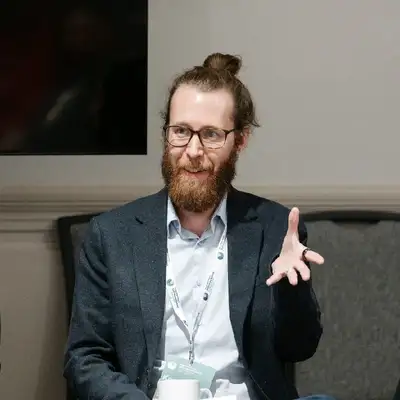
Dylan Ismail: [01:42] If you know Civics at all, it's probably through their student vote. The Canada wide Parallel Election Program for Schools. Civics is a national charity dedicated to strengthening the skills and habits of citizenship among Canadians, and Ken leads their professional development work designing educational resources and programing around digital media literacy, constructive dialog and civic participation. The program that we're going to get into is called CTRL-F, Civic's answer to that research gap that I was just talking about. And the thing that replaces the CRP test is lateral reading. Leave the page that you're on and find out who made this and why. What I really like about CTRL-F, beyond the skills it teaches, is that it's Canadian. It's built for Canadian classrooms using Canadian examples and referencing Canadian curriculums. Most digital literacy programs come out of the US and they don't always translate, so a program made here is exactly the kind of resource that I want to hand off to the educators that I help. I'm also kind of curious how far lateral reading can stretch. Can we use it to verify information from an AI chatbot or a Google AI search summary, since both of those have a tendency of confidently stating incorrect information. The guiding question for this episode is how do we build confident, literate internet users capable of effective research. Ken also holds a PhD in philosophy from the University of Toronto, and completed a postdoctoral fellowship in Philosophy and Science Communication at the University of Southern Denmark. He has taught at universities across Canada and Denmark. Let's jump into our conversation about verifying information online. Thanks for being on the podcast, Ken.
Ken Boyd: [03:24] Yeah. Thanks so much for having me.
Dylan Ismail: [03:25] I'm really excited to be talking about how educators can be building confident and literate internet users. But the first thing I want to jump into is, how CTRLF sort of came to be. I think most people are familiar with Civics through the student vote program. So how does an organization that's set up for teaching about democracy end up building a digital literacy program?
Ken Boyd: [03:45] Yeah. So the idea for the digital media literacy program really did come out of the student vote program. For anyone who might not be familiar with the program, Student vote is our we call it a parallel election. It's an election that takes place in schools. When there's a federal election, provincial election, or municipal election, students get to cast their vote and see who would have won if the students had to say. And what we learned in creating the program is that when students are learning about the democratic process, when they're learning about the issues that are affecting them in whatever election that's going on, they are doing that research online. This is just how they find information now. And so we realized that really what we needed was some sort of material, some sort of resources to help make sure that they were finding information in the best possible ways, that they were going to reliable sources, that they weren't being fooled by misinformation. And this really did start as more of a news literacy program that then became a little bit more fleshed out into teaching certain sort of verification skills, and then sort of into the program that it became today.
Dylan Ismail: [04:55] So in my experience, I've heard like digital literacy, media literacy, digital citizenship, they all kind of get used interchangeably. And teachers, I find sometimes they're in front of their class and they'll just use them interchangeably. Like I'll say media when they mean digital media. Or they'll say citizenship when they mean literacy. How do you draw the line between all those ideas?
Ken Boyd: [05:17] Yeah, there's a lot of terms in this orbit right around digital media literacy, media literacy, digital citizenship. There might be other ones that we're not forgetting here. And yeah, it can be tricky when you're a teacher and you're signing up for something like, what are you getting when I'm signing up for this program? So I sort of think that if we talk just about digital literacy broadly, this is kind of the umbrella term under which we might put some of the other sort of concepts, although we might also argue about like, what is the umbrella and what is umbrella-d, right? But we have a wide range of possible skills. So this can include things like how do I use my physical device? How do I understand how programs work and how do I understand how information gets to people online? I think media literacy is sometimes used in maybe a little bit of a more broad, sometimes a little bit more narrow sense. So broader in the sense that it can encompass content that isn't necessarily online. So we talk about media literacy, like news and films and TV political speeches, all different kinds of media, but we might also apply that to the sort of online space and using the same sort of skills, but applied to content that we come across online. I think with us, we conceive of our CTRL-F program as a digital media literacy program.
Ken Boyd: [06:38] So you're evaluating the content that you come across online. That primarily means for us doing research, using critical thinking skills, determining if something is reliable or if some information is true, and better understanding why you see what you see when you go online. Part of this too, you mentioned digital citizenship. This is maybe a little bit of a newer term, although or maybe it's been around for a while, but people are just using it more these days. I kind of take this to refer to the idea that, you know, just as there are things that we should do to be good citizens in the non-digital world, there's also things that we should do to be good citizens of the internet. So you should be respectful and kind to people in your real life, so too should you be respectful and kind to people when you encounter them online. We can also think about what kinds of not only kinds of responsibilities that we have or rights that we have in terms of living our lives online. So these things overlap with one another in a lot of different kinds of ways. But I think this just goes to show the fact that there are so many terms and so many different concepts out there, just how big of an issue making sure that we're living our best digital lives really is.
Dylan Ismail: [07:52] Yeah, I think I like hearing you kind of like piece them apart. I also kind of see this, this separation between how we consume online and how we create and the consumption kind of feels more related to things like digital literacy, media literacy, the stuff that we see online and the digital citizenship. I know there's a lot about how we create and put stuff online, like digital footprints and what we leave out there for people to consume when we're talking to them online. So I kind of feel like there's like a bit of a distinction there as well. Would you agree with that?
Ken Boyd: [08:26] Yeah, absolutely. I mean, I think especially in terms of some of these big issues that everybody, teachers are concerned with, especially in terms of responsible use of technology, like you want to make sure that you are, if you're not creating deepfakes of your classmates that you are, this is not good digital citizenship. Right. And so, yeah, what you put out there is something where you need to think about, think about the consequences of what you're creating, think about what sort of responsibilities you have to other people out there. Yeah, I think that that's going to be a big part of that big part of that concept.
Dylan Ismail: [08:59] Yeah. Okay. So we have this idea of digital media literacy. That CTRL-F is sort of pinpointing. The other thing that I really like about recommending CTRL-F to other teachers and educators is that it's built in Canada, it's a Canadian platform, and it's a Canadian curriculum. So how do you see that as important? Because there's lots of other resources out there. One that comes to mind for me is Common Sense Media, which is similar in some ways, but they do sort of focus more on, on digital citizenship. But it's an American platform and they speak to American concepts and that kind of thing. So how do you think that CTRL-F as a Canadian institute helps educators?
Ken Boyd: [09:38] Yeah, we know that. We just did a survey from all of our registered users, and we asked them how important is it that this content is created by a Canadian organization that is made for Canadians? And it was one of the top concerns that people have. This is what they want. And I think it's just so important that students encounter information in their learning resources that is similar to the kind of information that they're going to encounter in their lives. So a lot of the digital media literacy programing and digital citizenship programing and other sort of things like that. This does come out of the United States. That's probably the biggest producer of these programs. But if you go into those programs and you start using them like working through examples, right? So this is a big part of what we do. We want to make sure that our resources are up to date. They're using examples that are interesting for students. In the United States, they might be talking about a politician that students in Canada have never heard of or an issue that is maybe important in the United States, not really that important in Canada. So we want to make sure that Canadian students are engaging with Canadian content, because that's something that's going to be most relevant to their lives.
Dylan Ismail: [10:48] Yeah, I think this was most obvious to me with the resource library, where there's sort of like up to date examples of things that have been posted online, articles, social media, fake videos, that kind of thing where teachers can kind of like bring those into their classroom and interrogate them with their, with their students. That, that seemed to me to be like one of the most exciting parts. Once you've kind of gotten through the CTRL-F curriculum, which we'll talk about in just a second. There's this beautiful resource library of stuff that you can kind of pull out weekly looks like it's kind of being updated once a week.
Ken Boyd: [11:24] Yeah, once a week, or if something really big happens, right? Or if there's just a really of the moment, timely kind of thing. And of course, we use examples that are not solely Canadian because we know that kids are learning, they're hearing about things that are happening in the States. And we know a lot of students are, I mean, they know who Donald Trump is. They know what some of these other big issues are. So if this is something that's making the rounds online and there's misinformation around it, we want to make sure to address those kinds of things. So yeah, that's with our example bank once a week, maybe maybe more often, sometimes themed around holidays or special events. We had a World Cup one recently, right. And we want to make sure that this is something where if something is happening and your students are talking about it, we want to try to make sure that we have something where you can then use that as an example to say, well, let's let's look at this a little bit more critically and let's do some research about it.
Dylan Ismail: [12:17] Yeah. So talking about looking at it critically and doing research, what are some of the, what are the core tenets of CTRL-f? Where, what are you laying out for educators?
Ken Boyd: [12:27] Yeah. So the primary module is based around lateral reading and the lateral reading skills for those who might not. Some people have heard of these things before, but if you haven't heard of lateral reading, this really just means getting off the page that you're on doing some research in a new tab or a new browser or a new device. If you're on your phone, get off your phone, go to your laptop or something like that, and then really sort of doing some research to decide if this is something that is worth your time. So we want to know what is this thing that I'm looking at? Who made it and what were their motivations? And what is their reputation? Is it something that I should trust or not? So this is sort of the key set of skills that we have in the program. But we also have some other modules that we've built around that. So we have for students who are a little bit younger, who are maybe just starting to use the internet more autonomously, we have an online search skills module, which goes into techniques that you can use to find information more effectively and to better understand why you're seeing some information, especially when you do a search on Google or something like that. And we have some new resources around AI, around helping students understand what it is, what some of the concerns about it are, and really focusing on agency so students can decide whether it's something that they want to use or not. And then some even newer resources around examining media critically. So thinking about some more, about those questions of why is it that I see this content that I see online? We get into things like the attention economy, understanding that nothing is really things that seem free are not really free. They come with the cost of your attention and understanding a little bit more of the motivations behind content creators. A number of different topics, but that's our key sort of anchoring set of skills is our lateral reading skills, I'd say.
Dylan Ismail: [14:20] Yeah, the lateral reading was the thing that popped out for me, because I know that when I'm supporting classrooms with projects, a lot of the projects that I noticed coming up are things related to social studies. There's a lot of research that is just sort of connected to doing a social studies project. And a lot of the time I'll see teachers give some resources for students. So they'll say, here's four websites that you can kind of go to, to find some information that might be related to what we're studying. But inevitably students sort of move off of those four pages or those pages have links to other websites. And so I really liked the idea of having some sort of strategy for these kids to be able to compare the information that they're reading from page to page. There's an older version of this, the crap test. I don't know if that was like a backronym or like, how does the crap test fit into this?
Ken Boyd: [15:21] Yeah. The good old CRAP test.
Dylan Ismail: [15:25] For those who haven't heard of CRAP, it stands for current, relevant, authoritative, accurate and purposeful.
Ken Boyd: [15:33] Yeah, yeah. And I noticed you had to read that out. It was not something that you memorized, which I think is one of the major issues with the crap test, right? So this is an older style of media literacy. It really did originate pre-internet. So when you were going back to the good old days of getting a book from a library and reading an article in an encyclopedia or something like that, you would maybe use this test.
Dylan Ismail: [15:58] So the current part was, is this book from this year or is it from this decade?
Ken Boyd: [16:05] Well, I am dating myself with this, but I remember going to my school's library and we would have books that were so out of date that they, I love space, I was a space kid, so I would always look up all the books on space and I would see books that were like, one day when we get to the moon, what will we find there? And it's like, and it's like copyright 1950 something, right? And so when you're looking at that, you want to say, okay, well, how current is this? Like, have we never been to the moon? Let's check. Okay. 1955. Let's look at.
Dylan Ismail: [16:35] It's a good first filter, right? It's a good first filter if you're reading books in the library. Yeah.
Ken Boyd: [16:40] Yes, absolutely. Yeah. But when it comes to the internet, these skills don't really hold up. And part of the issue is that all these sort of all these letters, whatever they stand for in our CRAP test, their acronym, they're things that don't encourage you to go and do research someplace else. They're things that encourage you to sort of stay on the thing that you're looking at and just sort of look very closely for clues. So is it current? You're looking at a date? Is it relevant? I mean, relevant? It's maybe relevant for my purposes. I want to know if it's something on topic. Okay. Is it authoritative, is it accurate? Well, we often reach these judgments just sort of on the basis of superficial signals or things that really are not indicative of whether it's necessarily true. I can talk about this a little bit more. I've got some research I can share with you too, and, and purpose as well. And so these things are, you have this, the long checklist. And each of these letters, I think, have sub items within the major items. Right. So one of the big issues here is that first of all, you're going online, you're scrolling through TikTok. Do you have a copy of the crap test next to you when you're doing this? No, let's say that you did. Okay. You're one of these people. You carry it around on a little laminated card or something.
Dylan Ismail: [18:01] Just on the case of your phone. You just flip it over.
Ken Boyd: [18:03] Just for emergencies, right? You turn it over. There it is. Right. Okay, fine. Now I'm going through this checklist. Let's say I check off 60% of the boxes. What do I do with this? Right? What do I do with this information? Does that mean I should rely on it? That means this is a good source of information that it's bad, right? There's a lot of sort of ambiguity around how we're supposed to be directed by the test, even if we use it. But I think even just the biggest problem is that interventions aren't useful if no one uses them. And so you really have to teach skills and techniques that are fundamental in the way that they're not something where you have to go back and refer to something. There's something that you can just sort of take on and develop as a habit, rather than having to go through some laborious process every time that you need to check something.
Dylan Ismail: [18:55] Yeah. So when we're looking at the lateral reading skills then, how does that do those things that you're attempting or that you're saying that the CRAP test doesn't? What is the next step after I verify with another page or how do I verify with another page?
Ken Boyd: [19:12] Yeah. So we have a number of skills. So depending on what kind of content that you might be looking for. So if you have, let's say you come across a website, you've never seen it before. It's saying something that maybe sounds a little bit surprising. That is then your cue, right? And this is where we want to sort of get students into this habit, practicing these kinds of things. When you see something like that happen, that is your cue to then go and do some research and find out what more can I learn about this site, or maybe even about a creator, if they're like a big popular creator or something like that. And you can use quick Google searches to give you really good results. We encourage the use of Wikipedia as a first stop. I always have to say that a little bit, because some people get a little bit like on edge about Wikipedia. Wikipedia is a fantastic resource for telling you what something is. If you want to keep going and doing more research after that, by all means. But if you want to just know, like, is this a news website? Is this an AI generated fake website? Is this an advocacy group? I want to know what this thing is. Wikipedia is fantastic for that. So you go and you do your research. It doesn't have to be involved. You can get more involved if you want. But again, we're just sort of doing like really quick checks. I want to learn what this thing is.
Ken Boyd: [20:28] I want to establish some more context around this information. That's really sort of what is key here. And you can use things like if you come across a claim, a viral claim that somebody's making or something that you see on I mean, Twitter or TikTok or whatever else, we can look at fact checking organizations. We can look at other major news organizations. We can just sort of do this sort of verification across different sort of different platforms and different sources of information and see what other people are saying about it. Right. That doesn't always guarantee that you're going to find 100% of the time the correct answer. And sometimes the truth is murky, right? Sometimes an issue is not super clear whether it's true or false. And that is totally fine. That's just the way that the world is. But as long as you have sort of done that research, looked into this issue a little bit more, you can then feel a little bit more comfortable knowing, is this something that I should spend my time here? Is this something I should share with somebody else? Should I sort of hold off on this? Is this something that I want to do some more research about later? Just sort of getting out of that habit of mindlessly consuming or sharing and getting more into that habit of saying, like, let's make sure that I have a better idea of what it is that I'm looking at.
Dylan Ismail: [21:41] This is kind of reminding me of the inquiry process, of asking questions about a thing. And so lateral reading is basically just giving you a bit of a scaffold to say something has come up that you have questions about. Go and question it.
Ken Boyd: [21:59] Yeah, absolutely.
Dylan Ismail: [22:00] And ask some questions. Is that fair to say?
Ken Boyd: [22:03] Yeah, absolutely. And to know that it's not something that you can just suss out by looking at it. I mean, this is something that is not just with students, this is with everybody.
Dylan Ismail: [22:14] I was going to say this feels like stuff that we should be like educators should be probably good at first, or at least practicing first before they model it for their students.
Ken Boyd: [22:24] Yeah, absolutely. We do have some resources that are more adult focused as well that educators can use. We have an online course. We call it a micro-credential. You can go through it. It's all free. You can sort of learn some of these skills for yourself if you want to brush up on them before engaging with your students. We also do a lot of training, educator training, so that's also available for any educators who are interested in that. But yeah, that's exactly right. It is this, it is really sort of this habit, right? You don't want to just say when you come across something, you got to do the following ten steps. But getting you into that mindset where you're thinking, this is something I don't know what it is. I want to check up on it. And you don't have to do that all the time, right? If you come across an article on a website that you know, and it's a newspaper or something like that, we don't need to then say, oh, well, I wonder if The New York Times is still run by journalists? Like, okay, yeah, we, I think we can be pretty confident in that. But if it's surprising, if it's new, if it's unknown, do that, get into that habit of asking those questions.
Dylan Ismail: [23:24] Have you heard from educators? Like what the change is like in their classroom when using lateral reading?
Ken Boyd: [23:32] Yeah, I mean, we just hear that the students get better, their research gets better. When they do projects, often we see CTRL-F introduced in classes as a way to help students engage in more effective research, especially. Maybe if it's something where they. They're just sort of taking on a bigger project for the first time. They let out onto the internet to do their research. We want to make sure that they're using sources that are good sources. They are just better at finding sources that are more relevant, more reliable sources of information. And I mean, students love to figure things out. They love being detectives, right? And if you give them something and they find out that, well, wait a minute, this was something that was meant to try to fool me, but I actually outsmarted you because I did my research. They love that, right? That is that is so satisfying.
Dylan Ismail: [24:28] I don't know that that's specifically a student thing. I feel like everyone loves to be like, I outsmarted the person who was trying to dupe me. Yeah, absolutely. Feels like a very, like, visceral feeling.
Ken Boyd: [24:40] Yeah, no one wants to be fooled. Everyone wants to be that person. Yeah. Don't pull the wool over my eyes. I'm going to see through that. So yeah. But they, they really, they really love that. And that is in working through different kinds of examples where they can see how those skills allow them to do that, that gets them more into the habit, encourages them more to use these skills when looking at other kinds of information.
Dylan Ismail: [25:02] Yeah. So when we, when we're supporting, I'm speaking from my specific experience now. So as someone who helps teachers create projects that are creative, use technology in a productive and creative way, we tend to organize our projects in sort of skill development and then practice skill development and then practice. And I know we do that a lot for things that are tech based. So for instance, in some of our, in a project like Social Justice Comic Book that I that I did with one class, there was a lot of emphasis put on learning how to use Canva as a tool to design and layout comics, but there wasn't as much emphasis put on how to be a good fact checker, so that when you go online and find these facts, that you're finding information that is trustworthy or relevant, or that supports the project that you're actually working on. So I'm thinking now of CTRL-F as one of these like skill building classes where if you are going to design one of these longer term projects where you're creating something, there needs to be a point in which if you're doing research, we need to give you the skills to do those to do that research. Is that something that you've seen happen in classrooms with CTRL-F?
Ken Boyd: [26:17] Yeah, for sure. In similar kinds of situations you're describing, right? There's, there's a big project, there's, we're learning how to use this tool, we're learning how to do this. And then we have to learn research skills at some point really. The CTRL-F program is really modeled after the skills of professional fact checkers. So professional fact checkers, they go and they establish context. That's what they do. They come to see some information. They don't know what it is. They find out all this important stuff about where it came from, who made it, things like that. So that kind of skill, right, is as I think. Yeah, I think that is so important when we are, when students are first, first setting out with a big research project or even even as they get a little bit older, maybe they've done some of these before. This doesn't hurt to brush up on. Of course, repetition is the key to making sure that habits and skills stick. And with our resources, we want to make sure that we have things for different learners of different grade levels. So if you're starting out in your elementary grades, you might do some online search skills. As you get a little bit older, you can go through the different kinds of modules that we have so that there's always something new that you can do. But yeah, I mean, I think that when we hear from teachers about when are they starting to introduce this. It often comes at the point where they realize that, yeah, if I'm not just telling them to go to these four websites or anything like that, if they are being set free on the broader internet, they need to know how to navigate this really complex world.
Dylan Ismail: [27:51] Yes, I have so many feelings about letting kids explore the internet in a way that is productive. In the schools that we support, we also help set up networks and set up internet filtering. And so we've created a controlled environment so that certain content is blocked inside of school. And you would hope that most schools have that set up, students are protected from that kind of thing. But it doesn't mean that there's not like, unfortunately, we don't have a misinformation filter on the network, right? We still need skills to be able to go through and look for information. That is going to work for the stuff that we're working on. I want to come back to this idea of the professional fact checker I'm familiar with, like, I think it's Snopes. Is that how it's pronounced?
Ken Boyd: [28:42] It's snopes. Yeah.
Dylan Ismail: [28:44] So I'm familiar with Snopes as a fact checking website. Like it's yeah, it's their whole thing that they're professional fact checkers that take claims and sort of like break them down. And it's a really great example of people who are out there in the real world doing this job. Do you know of other resources like that of a professional fact checker who students could model themselves after?
Ken Boyd: [29:06] Yeah, I mean, we in our resources, we talk about some other kind of fact checking organizations. So AFP, PolitiFact, different news organizations will often have fact checking wings associated with that. So I think theWalrus also has fact checking. And major newspapers will sometimes maybe if it's not specifically a fact checking department, but they'll publish articles that will do things around checking facts. So I think there's a lot of good sources there that you can check. Yeah. Sorry, I forgot the first part of the question.
Dylan Ismail: [29:41] Oh no. You're you're good. That's great. I think the big thing here is that like when we're creating, I'm just connecting it to like the projects that we've been running in our classrooms and a lot of the times we like to give different parts of the project a role, right? We want to give kids different hats to wear.
Ken Boyd: [29:58] Yeah, yeah, yeah.
Dylan Ismail: [29:58] So in a podcast project, we have like the writer of the podcast, we have the producer of the podcast who's responsible for editing, and we have the host of the podcast. Who's the one on the mic like me, right? I would love to incorporate like the writers also part time fact checkers. And so they take their hat off and they put on the fact checker hat and they have the skills of a fact checker now. So they're going to go through what they wrote and look for, look for places where they might need some background information or more context or things like that.
Ken Boyd: [30:30] I love that idea. I mean, I think that's a great idea. And you could even have the fact checkers, maybe independent of the writer, because that's often how these things go with people. When you write an article, there's a fact checker associated with the publisher who wants to make sure that everything that you say is on the up and up.
Dylan Ismail: [30:46] This is like a very visual look now or vision in the class of the hats with the little press card. Yes. Like from Looney Tunes. We need, like, we need writers, we need fact checkers.
Ken Boyd: [30:58] I assume people still wear those hats, right? How else would you know who was part of what?
Dylan Ismail: [31:03] Who's part of the press?
Ken Boyd: [31:04] Yeah, exactly. Yeah. In addition to those kinds of professional organizations, I think there's a lot of really good local and small media that can be exemplars of good journalistic standards, which include fact checking. There's some really good independent media outlets that are not the New York Times, they're not the Globe and Mail, but they are run by professional journalists. They do their due diligence, and you can look sort of at your local context. You can see who is in charge of the sort of media that's around where I am and get a sense of what they do? And that can be a good model as well.
Dylan Ismail: [31:42] Yeah, that's a really great point. I think too often, and maybe this comes back to like the search skills where you type into Google and the first thing that comes up is going to be the thing at the top that's paid the most to, to tell you about the topic that you've typed in. So I think it's a really great call out to sort of localize those searches around outlets that are local to you. I've never actually thought about that, but I think I think within the project designs that we're trying to do, that's going to be a major point that we should focus on more locality. I really like that.
Ken Boyd: [32:15] Yeah, yeah, yeah. And I mean, and that's something, that first thing that you see is paid content. I mean, we so there's a concept called click restraint. And the idea is that you just restrain from clicking on the first thing that you see, because it is the biggest thing. And of course, now this is being complicated more by how search engines are looking differently, especially like the first thing that you see is an AI summary. Then it's promoted content. Then we got to scroll down a little bit. We got to get to stuff that's good, a little bit lower down. But yeah, as part of the skills, we teach some techniques for making your search a little bit more specific to try to find the information that's most relevant to what you're looking for. So that could be adding that sort of localization part could be a good way of getting to that.
Dylan Ismail: [33:06] Are there other tips that you have for searching that you want to share? Like localizing sounds like a great one. The AI summary is obviously 80%. Sometimes that 20% is like 80% right, 20% wrong. But the 20% wrong feels like it's always so wrong.
Ken Boyd: [33:23] There's sort of great and sort of terrible examples of the AI summaries going wrong. And we had one where Google said that you can glue rocks to your pizza to keep them from sliding off. We had one recently that was if you searched for JD Vance or something, it just said that he has died and he hasn't. And so these are, as you say, 80% of the time they're perfectly fine. But this has now become the first thing that you see when you do a search. And it's not just the first thing that you see, it's something that gives you the answer to the question that you have. Right. It doesn't just give you an option. It sort of makes all other options unnecessary or at least tries to fulfill that role. So something that we've included in our online search skills is to be to be aware of the fact that you are probably going to see an AI summary first thing that if you are going to read it, you need to make sure that it is drawing from sources that are ones that are recognizable, that are reputable.
Ken Boyd: [34:34] So an AI summary will have little sort of boxes to say it's from this website or it's from this sort of thing. A lot of the time, I don't know how often in terms of actual percentages, but at least in my own experience, a lot of the time, what I see is AI summaries and they say X, y, z, my source is Reddit, or my source is this YouTube channel that I've never heard of or things like this. And so this is the time to use that click restraint, right? If your AI summary is drawing from social media, we scroll past it, right? We go down to this stuff where we're actually getting to sources that are, that are news sources or that are that are reliable sources. So sort of looking out for those kinds of things to say, well, when should I sort of stop and dig into this? And when should I say, well, actually, no, my search is not one for AI now, I need to go down and find something better.
Dylan Ismail: [35:33] When you say it, it seems like a very obvious thing to say, hey, if it says Reddit, if it says YouTube, move past it. Those are maybe opinions. Maybe they're, they're written by someone who hasn't done the research, but they're being presented as an authoritative answer. And I know that I like personally, I feel like I'm sucked into those answers mostly because they feel like they're being written for me. There's like a personalized version of that answer directly answering what I typed in there. I'm curious how you think lateral reading can be used with AI chat bots, not just with search summaries, but when you're asking ChatGPT a specific question and it's giving you an answer and you can ask follow up questions. I think we all know that chatbots are. They love to be confident, but it doesn't necessarily mean that they're right.
Ken Boyd: [36:29] Yeah, yeah. So yeah, a big thing that's different with using a chatbot just in general, as opposed to, say, investigating a website or a different kind of source, is that you can't look into the reliability of ChatGPT as a thing, right? You can look into the reliability. Maybe you see something that's from Reuters. You've never heard of Reuters before. You can look into what Reuters is the reliability there. We can't really do that with a chatbot. Right. So maybe unless it's like grok or something and you should say don't use that one, use something else. But if it's ChatGPT or Gemini or whatever. So we really sort of have to look a little bit more at the content that it's producing and trying to make sure that what it's telling us doesn't just sound good or authoritative or things like that, but that it's actually something that's true. So this is something where we can again, use our lateral reading. We use a chatbot, we ask it a question. It gives us some information. We then can go and do some research about the claims that are being made by the chatbot. And we can go to some other sources and make sure that it's not telling us something that's too misleading, especially if it tells us something that may seem surprising or unclear.
Ken Boyd: [37:43] Now, like this can be tricky because chatbots are, they can be verbose, right? Like you ask it something, it will give you 500 words or something, right? So there might be a lot of claims that are being made by a chatbot there. So we need to do a little bit more critical thinking here, to identify those big, important claims that the chatbot is making to make sure that we're getting the facts right about this kind of stuff. And so, and I think there's cases where if you're just asking it like, what is the capital of this country or something, like it's probably not going to get that wrong. But if you're doing research that is important. And if it's especially about issues that there's maybe controversy around them, there's maybe differing opinions. This is the time where you really need to be careful to make sure it's telling me this. Can I go out and find another source that tells me the same thing so I can make sure that this is actually true?
Dylan Ismail: [38:49] Right. Yeah. I hear what you're saying about facts when we're talking about using it to look up simple facts like you said, the capital of a city or is a reptile cold blooded. Sure. Those types of things. Right. We're probably not going to get those wrong. Like you said, it does get more murky when it comes to topics that may not have a clear cut answer and there may be biases towards the answer. So how does that sort of come up when looking for resources outside of the chat bot, how does a learner know where their, where their biases might fall within that content outside of the chat bot?
Ken Boyd: [39:34] With something like, if we're doing research about these things, ChatGPT or whatever else we use, they are getting a little bit better about providing some of the sources that they use. We know that chatbots are not an objective source of information. They are built on information provided by people. People have biases. Those biases work their way in, and there's lots of other factors that contribute to this, this kind of bias here. But we can get students into that. And everybody, not just students, but we can also get into this habit of. Just as we check with our AI summaries, like, is this coming from social media? When we use our chatbots and they tell us, I'm getting it from this source. Then we can go and we can maybe look into that source and see where this is coming from? Because chatbots will, again, they'll do something similar. They will sometimes draw from news organizations, from scientific organizations, from reputable places. They will sometimes draw from somebody's blog post where they are talking about something from a very opinionated point of view. From our own perspective, we have to deal with our own biases that we have in approaching an issue. And that's a problem of developing this kind of humility and this kind of virtue that we have about recognizing where our own limits are, and the sort of framing that we put information in ourselves. But sort of just getting, again, sort of getting into that habit of saying, if a chatbot tells me something, I want to make sure that it's coming from someplace that A, says what it says that it's saying, right? Because the chatbot might be summarizing something in a way that is not what is being said in that original source. And to make sure that that original source is something that's worth consulting independently. Right? Would I go there to get information? If not, then I shouldn't trust what a chatbot says on the basis of that information.
Dylan Ismail: [41:29] Yeah. So what I'm hearing is that the lateral reading can kind of be in a couple of can be in a couple of steps. Like we need to have the wherewithal to within the chatbot say, I need to go and inspect this source. But then when I get to that source, I need to now look at that source and go back to what we were talking about before, which is compare that to something else or read it for myself and look for what what's being summarized and see if it is it matches to what Mr. Claude said or yeah, miss ChatGPT said.
Ken Boyd: [42:00] Yeah, yeah, that can be when you're doing research, that can be hard, right? That can take a few more steps. Research should have friction, right? It shouldn't just be a process where you get answers just immediately for free. And then that's it. Right. You should go through this process. So if you want to write, if you want to be a good fact checker, if you want to be a good researcher, this is something that requires you to go through multiple steps, checking with different kinds of sources. This is not a process where we just ask a magic program for an answer. It gives it to us, and then we're done. Right? That's not how we should approach this.
Dylan Ismail: [42:43] I'm feeling this connection to what you mentioned earlier about the attention economy and how social media is sort of designed to keep our eyes in one place so that we can just consume whatever is on our screen. And it does sort of feel that chatbots are doing the same thing. They're saying the information that you're looking for can all be found within this chat. And there's not really any need to go anywhere else. Because if you want me to check a source, just ask me and I'll go check the source. Right, right. Or if you need me to get you something, let me go get you something. It always feels like the last part of the message is always like a question. Hey, do you want me to go and do this next thing for you? And it just pulls you into the next chat, the next action, the next piece of research. So I love that you're pointing out that it should feel like friction, it should feel hard. It might feel easy or good to just sort of like write the next message into the chat bot, but it's not necessarily going to get you the best result. Is that a fair sort of.
Ken Boyd: [43:48] Yeah. And we see this, the kind of techniques that we see social media use, as you mentioned, to try to keep us on the thing that we're looking at. So infinite scroll keeps you on the app because there's always something that's coming up next. And that's very enticing. And this thing that chatbots are doing now is kind of its own version of an infinite scroll. It is just not ending. It never ends a conversation. I think if you really mean it or something, it'll just say like, okay, like, I'll come back when you've calmed down or something like that. But I think.
Dylan Ismail: [44:22] It doesn't close the window.
Ken Boyd: [44:23] It never closes the window. It still allows you to say whatever you want, but it almost always ends with this. Do you want me to look into that? Do you want me to check into that? How can I be of help in the next thing? And that's yeah, as you say, like that just encourages more and more use and to not get away from that thing. And so if we, I think as we tell students about this is a feature of social media, that it is trying to capture your attention, try to keep you there. This is also a feature of a lot of AI programs. They are trying to keep you there.
Dylan Ismail: [45:00] Yeah. I want to kind of zoom out for a second because this is obviously a topic that is at the front of a lot of people's minds. It's not just an education thing, it's businesses. Everybody's dealing with how AI is affecting their life or their job or their ability to search for things. When it comes to things like social media, there's also been this sort of pressure for organizations, governments to do something about this infinite scroll, protecting kids against using social media. And there's been a few big moves made, like the UK enacted a social media ban for young people. I think they put it at 16 years old. Manitoba was talking about it for a little bit. Our federal government has been talking about banning social media, and the part that sort of worries me is that we can ban a system like this, but it doesn't mean that Students, young people are never going to use this in the future. It just means that they can't use it now. They're not going to learn about it, and then they need to figure it out later. It just sort of pushes it down the line. How do you sort of wrap your head around setting kids up for success when it comes to using platforms like social media? We talked a little bit about the examining media section of CTRL-F. So how does this sort of a ban help teach kids about social media?
Ken Boyd: [46:27] Yeah, yeah. So yeah, this is a complicated one. I mean, their feelings are strong on various sides of this one. But you don't wake up as a 16 year old suddenly knowing how to use social media in a responsible way, right? There is not some emerging from a cocoon at 15 years of age in 364 days, and then you become this responsible butterfly, once you've earned 16 and now you never will, the ills of social media just roll off you like water off a duck's back or something like that, right? That is just not how this stuff works. So regardless of how we feel about a ban, it can't be the entirety of a solution. It can be a start. And even with that, I think we need to really think long and hard about what we are removing from the lives of kids when we remove social media from them, because we can argue about sort of the pros and the cons and how those balance out. There are some pros that we also need to think about in what sort of role this plays in kids' lives. But regardless of that, you still need to teach students what social media is, how it works, what are the sort of the problems, even if it is banned for them, so that when they get to the point where they start using it, it's not just like you've thrown them into the deep end, right? You still need to have this kind of digital media literacy and this sort of literacy around these kinds of tools.
Ken Boyd: [48:01] And I mean, there's also just, there's practical issues here, which is we've seen Australia was the first place to implement this ban at, at the, at the level of a country. And it is still very early days. And there's still a lot of research that I think needs to be done. But something that is consistently coming out is that the ban, as a practical matter, has not been terribly effective, that students are still using it or like they're able to use it if they really want to. So there's sort of this idealized view that we have about how young people ought to use the internet. And then there's the reality of how they do. And we have to decide which one we want to teach. So are we teaching the perfect student who always follows the rules and they would never think about going on social media, making an account before they were 16 and things like that. Or do we recognize that a lot of these kids are still going to be using these things, and if we don't teach them about it, if we don't give them the skills to use it responsibly, then we are really doing a disservice here.
Dylan Ismail: [49:16] Yeah, I can't help but make connections like teaching about illicit substances, right? I mean, when I was in school, I remember marijuana being taught to me as like the gateway drug, and it was all about scaring you off of something. But it didn't mean that I didn't experience people around me experimenting with it. It feels like the social media ban is sort of the same thing. Like if the pressure is there to try it. When the adults in your life are saying things like, you can't do this. And someone says, hey, I have an option for you to do this. We're just sort of pushing it to the side as like, we're not going to talk about this. And it feels like teaching it might be taboo or something like that.
Ken Boyd: [50:02] Yeah. And that's what we don't want. Right. And look like drug drugs. Drugs are bad, right? Kids, kids shouldn't be doing them. And we can all and we should have bans against kids doing drugs. That's all good. But ignoring if we were to just say, okay, well, now we've put a ban and the ends, now we've solved all the problems, right? That's naive. Right? It's just not that we still need to teach them about like, this is what happens when you use these kinds of things. And these are the dangers and things you can do other than doing drugs. Right. So when it comes. Yeah, when it comes to social media, we don't want it to be a situation where we say, oh, well, I teach kids who are ten, 11 years old, they're not even allowed to be on social media, so we won't talk about it at all. We'll talk about it when they get to the age of 16 or something like that, right? This is now we've created this problem where we sort of keep putting this off to the point where now they get on social media and all of a sudden like, what are they supposed to do?
Dylan Ismail: [51:05] Right. I mean, this is why I think the resource library is so helpful because it brings these topics into a classroom where you can experience them in a way that is safe, right? We can have everybody in the classroom experience a video that's being designed to dupe somebody or to fool someone. And we can talk about how that's happening. We can talk about how we're being persuaded with certain types of messaging. And it brings that into a place where it is okay to ask questions. It's okay to dig in a little bit deeper. And it's okay to like, explore these in a safe way. It doesn't mean that we're just going to give every kid in the classroom an iPad to go scroll through Instagram and go find something that's related to your project on Instagram. No. Obviously we're not going to be doing that, but it does allow teachers to sort of experiment or sorry, explore these ideas in a way that they can help kids understand it a little bit better. And that's what I really appreciated about that library of content.
Ken Boyd: [52:02] Yeah, yeah. And that's something that when we host this content, we host it just on our own YouTube channel and things like that. So you don't need to log into Instagram, you don't need to look at these things on TikTok. So that's something that you can explore there. Yeah. And we also know that kids, if they don't have a social media account themselves, they can, you can still use YouTube without being signed in. You can still see your friends, your siblings, older siblings using it, your parents using it. I mean, like, that's such a, it's probably the time where they see that it's being used the most. Right? I went into a classroom and I ran a workshop on our control of resources. And we were using actually, I hadn't realized that one of our examples was we hadn't taken it off of Instagram. It was posted on Instagram. And when I tried to access it, I realized that I couldn't because it was blocked at the schools. And what happened, which is good for them, right? So they blocked Instagram. But this was a pre phone ban. So kids had their phones and they said, oh, I have a VPN or I'll just connect through data. Right. I won't use the school Wi-Fi. I'll just use the data on my phone. And then we'll, then we can look at that. And that was useful for me in the moment because then they could see the example. But it was also just a real testament to the fact that young people are savvy, they're crafty. If they want to see content on Instagram, they will probably find a way to do so. So this is something where we can't pretend like they're not coming across these things or they're not experiencing these manipulative techniques that are used by social media creators or by social media platforms, that this is still something that can be affecting them, even if they're not allowed to be there.
Dylan Ismail: [53:52] I can feel exactly how you must have felt in that moment of like, oh, I can't access Instagram up here. And 3 or 4 hands are like, yeah, I got it. What are we doing here? Yeah, the ban did not work. The Wi-Fi did not work. I can see, I can feel the feeling of that in front of a classroom right now.
Ken Boyd: [54:13] Yeah. Oh I'm sure. Teachers know this, right? Like they know that you have it banned on the school Wi-Fi.
Dylan Ismail: [54:23] If the kids still have a device in their pockets. Yeah. It's meaningless. It's meaningless. You're just making it harder for the teachers because they're the ones using the Wi-Fi.
Ken Boyd: [54:33] That's why we hear more complaints where we teachers say, well, I can't see this because we're not allowed to use Instagram at my school. And it's well, that's probably more of a problem for the teacher than it is for the students.
Dylan Ismail: [54:44] Yeah. I mean, shout out to us when we set up a school, we have multiple networks. There's staff networks, there's student networks, there's guest networks. So the filtering is different depending on which bucket you fall into. And the speeds are actually different too. We prioritize teacher speed over guest speed, that's for sure.
Ken Boyd: [55:02] That's great. And, but yeah, I mean, schools are so different right across the country and how they approach these kind of things. And so that classroom, those classrooms that you set up, a lot of other people don't have, like the people with the tech savvy that you have to go in and create that system.
Dylan Ismail: [55:19] I totally hear you. I totally hear you. This has been really helpful for me. I feel like every time I'm doing one of these episodes with someone that has as much knowledge as you, I leave it thinking like, man, I have so many things that I want to bring to my practice specifically about integrating the stuff that we were talking about. I also love this idea of like, defining what a fact checker is as a job and giving kids that responsibility. Like we had talked about, lateral reading just feels like such a game changer for educators, not just for the learners in the classroom. The thing that kind of came up to me is, I'm in a lot of staff rooms. I talk to a lot of teachers while we're on break, and we're just sort of like hanging out. I think that I'm not sure how I'm going to do this yet, but I might bring up lateral reading when someone brings out their phone and they're like, oh, did you guys see this? And we're like, okay, let's verify that against a second source when the outrageous claim gets thrown out into the middle of the staff room. So lateral reading in the staff room, maybe there's a workshop that needs to happen there.
Ken Boyd: [56:24] Well we've done some, I mean, we've done some workshops for, for staff meetings when both about the programming. But it's also a good way to whenever we do workshops, very interactive, like we get, we don't just tell you what the program is about, but we get you to actually try the skills out with examples in real time so that you have, like teachers have a good sense of what is the skill and how am I actually using it? Like, what are some of the obstacles and things that you should watch out for there? So yeah, I think that lateral reading in the staff room, absolutely lateral reading in during a staff meeting, lateral reading sort of in general, around the office, we always just say like, did you laterally read that if somebody comes up with gossip or some sort of claim like that.
Dylan Ismail: [57:05] So gossip is fun, but maybe it's not as fun when everybody's fact checking each other.
Ken Boyd: [57:10] Well, yeah, I mean, you might take away a little bit of the magic at some times, but it's probably better ultimately that you know what the real story is rather than the more fun, gossipy one.
Dylan Ismail: [57:21] This is a fact checking free zone. Right now we're just gonna gossip and then we'll put the fact checking umbrella back up.
Ken Boyd: [57:28] Exactly. Yeah.
Dylan Ismail: [57:29] What resources do you find influential when you're thinking about this type of work?
Ken Boyd: [57:35] Yeah. So we draw on a good amount of different kinds of research when we're doing this sort of work. I mean, one of our tasks is we always have to try to keep up on what are sort of some of the biggest issues that are going on in the world of digital media literacy. We initially created our program through working with some researchers, researchers at the Stanford History Education Group, and with some researchers at the City University of New York. So we like to go and we make sure that we're following up with what the big research centers are talking about when they're talking about digital media literacy, especially with keeping up with stuff around AI, right? We're always making sure that we're trying to keep up on whatever the sort of the latest research is there. Yeah. In terms of when we're sort of developing resources, we always want our content to be evidence based, right? So we want to make sure that we are making sure that we're conferring with the subject matter experts and that we're conferring with the best resources there. But yeah, I think that the digital inquiry group is also a really good group that does some really good research around digital media literacy in terms of, in terms of other sort of main sources of inspiration or things like that.
Dylan Ismail: [58:49] Yeah. Are there any personal pieces that you've engaged with that have sort of formed the way you think about this, fiction or nonfiction?
Ken Boyd: [58:59] Fiction or nonfiction? Oh, interesting. In terms of the AI stuff that's going on right now, I really like this work by these researchers, that's called AI as Normal Technology. And the idea here is that when people talk about AI, they often talk about it. We have these sorts of extremes, right? You have the people who are like, well, this is this thing that's going to dominate the world. Or maybe it's going to be like some people think that it's going to kill us all. It's going to become Skynet or whatever sort of thing like this is. And you have the sort of extreme pessimists and you have these extreme optimists. And there's this really interesting piece that's called AI as normal technology. And the researchers are basically saying, well, look like this is something that is mostly not either of these things. It's not something that's going to kill us all. It's not something that's going to, you know, ultimately change the world in ways that we won't be able to recognize in five years time or something like that. It is something that can have a big impact, but it is something that is going to sort of just be folded into our lives in a way where we take sort of mostly even sort of take it for granted that it's just something that is there. So it's not something that is life changing, that is dominating everything. It's something that is just going to become another tool that we have in our tool belts. And I like this way of thinking about it just to sort of tone down a little bit of the sort of discussions about it.
Ken Boyd: [01:00:34] Now, I think there are a lot of really good reasons to be concerned around a lot of stuff that is happening in the world of AI, right? And especially around ethical issues and around like the construction of data centers and around intellectual property and things like that. And I think these are such important things to consider. But when it comes to, is this going to be a technology, that is, no one will have any jobs now because AI will do all of them. Or is this Skynet? And we're all going to die? Like, let's pull that back a little bit and think a little bit more soberly about what is the thing that we are being presented with. And this, this, I think is, is really hard because we are also just presented by this constant cycle of hype around by companies, and they dominate headlines. And journalists are not always careful about the kinds of things that they say; they just sort of repeat the talking points of CEOs. And this can be a problem in finding good information about this. But I really like this, this way of approaching it. I think it's a nice way to, if you want to sort of, if you're feeling overwhelmed by this kind of these discussions and you want something that's a little takes a little bit of a step back, takes a little bit of a deep breath, then this is some really interesting work.
Dylan Ismail: [01:01:50] It was called AI as Normal Technology?
Ken Boyd: [01:01:53] Normal technology.
Dylan Ismail: [01:01:54] Yeah, great. I'm going to look into that. All of this is sort of reminding me. I'm not sure if you're there's a quote from Arthur C Clarke, and he says that "any sufficiently advanced technology is indistinguishable from magic."
Ken Boyd: [01:02:07] Yeah.
Dylan Ismail: [01:02:07] I don't know if you've heard that before.
Ken Boyd: [01:02:09] Yes. Yeah. Classic. Yeah.
Dylan Ismail: [01:02:10] Right. And I feel like we're being told that sometimes that it's magic.
Ken Boyd: [01:02:14] Yes.
Dylan Ismail: [01:02:15] But understanding the technology really brings some of that hype down and having an understanding of how it's being used out there or being able to spot it, I think really sort of makes it feel more like a normal technology. So I like to keep that in the back of my mind. I mean, I feel like I apply it to a lot of the technology that we use in our work where we can make things really quickly. And sometimes that feels magical, but we want to make sure that that magic feels like something that we can control, not that the technology is controlling.
Ken Boyd: [01:02:45] Yeah, absolutely. And that's what the first thing that we teach in our AI literacy module is, let's get an understanding of what this thing actually is, what generative AI really is, because we do want to demystify it. It's not magic. It is not conscious. It doesn't have to do these things that AI companies will tell you that it can do or that it will do in another year. In another year, we'll have artificial general intelligence, and another year you won't need employees, you'll just have agents. Right? It's just this constant sort of hype. And without the sort of understanding at base. What is this stuff really? It's interesting. It's really cool. It can do a lot of stuff, but it's a computer program, right? It's not a magic box. It's something that we can. We can think about how we want to use that and what it's good for. It's not something that is this grandiose thing that people sometimes make it out to be.
Dylan Ismail: [01:03:50] You're very right. This has been great, Ken. Like I said, I'm really excited to be bringing some of this stuff back into the classes that I work with. I'm curious if as like, any parting words, do you have anything coming up that you want people to know about, or do you want to direct any educators towards some of the control resources to start? Like where should they start? I guess this is the question I'm looking for.
Ken Boyd: [01:04:15] Yeah, I mean, ctrl-f.ca Is the place to start with a little hyphen between the control and the f, Ctrl. We get a lot of typos with controls. You need to spell it out. Some people think it's a Ctrl dash F. I'm sure you'll have it.
Dylan Ismail: [01:04:29] Look at your keyboard.
Ken Boyd: [01:04:31] Look at your keyboard. Control.
Dylan Ismail: [01:04:33] CTRL-F yeah, it means find, right?
Ken Boyd: [01:04:35] Yeah, exactly. It's just the keyboard shortcut for find. Unless you're on a Mac in which you'll see command, I think, but.
Dylan Ismail: [01:04:40] It is command F on the Mac.
Ken Boyd: [01:04:41] Yeah, yeah, yeah. But if you look at your closest PC keyboard and you'll see CTRL-F, everything there is available for free both in French and in English, both languages. So if you are French educator you can access all this stuff as well. Yeah. You just need to just need to register. You can start digging in right away. We have a course I mentioned briefly before an online course that anyone can take to sort of get up to speed with some of these lateral reading skills. If this is something that's new to you and you want just a little bit more background information there. It's just a ctrl-f.ca/course and you can just go there. You can also find it on our website. It's a, we call it like a little micro-credential, online, asynchronous. You can do it at your own pace. You'll go through examples, you'll do a little quizzes and things like that. That's a great way to sort of get up to speed with the lateral reading. And then, yeah, you mentioned our example bank that's just available from our website. You can click on the example bank there, and you can see sort of a bunch of recent examples of things that you can practice on yourself or that you can give to students to practice doing their fact checking, doing investigating sources, tracing information, and depending on what kind of classes that you teach or what sort of subject that you might be addressing coming up in your classes, you can sort by, if you want to talk about stuff that's happening in AI or science or politics or current events or things like that, you can filter out ones that you think might be most useful for you.
Dylan Ismail: [01:06:10] They're also filtered by difficulty.
Ken Boyd: [01:06:12] Yes. Yeah.
Dylan Ismail: [01:06:13] I thought it was really helpful.
Ken Boyd: [01:06:15] Yeah, yeah, yeah. So ones that are simple are pretty quick ones that are simple and challenging ones that are challenging, might not have a crystal clear answer. They might require a little bit more digging. So if you have younger students, you might want to stick to the simple ones. But if you want to give them something a bit of a challenge, you can definitely go to the challenging one as well.
Dylan Ismail: [01:06:34] Yeah. That's great. Sorry, did you have one more thing to add? One more thing to add.
Ken Boyd: [01:06:38] Oh, so many more things. Yeah. So we're so busy. We always have so many things that we offer. But we have a number of programs that we're running throughout the school year. So if you're interested in checking out any of our programming, you can check it out@civics.ca. Everything is free. We also have. We'll be doing the student vote in the municipal elections in BC coming up in a few months. So if you'd like to do a student vote program, that is available as well and just sort of a regular programing. Our politics programing is about creating discussion friendly classrooms about difficult issues. So if that's something that you want to look into that is available at our website. And I'll just talk about this. I'll promote this a little bit without giving out too many, too many details, but we are going to be launching some new resources around civic action. So helping you and your students identify issues that you might want to take action on in your community. And we're providing you some resources to help students develop a civic action project and a plan and to execute that. And we will also be offering grants to help students achieve those projects. This is coming up TBD a little bit, some of the details, but something to look out for. And you can always just check our website civics.ca, to learn about when things are going to become available. But that's on the horizon as well.
Dylan Ismail: [01:08:01] We talked about that a little bit before we started recording, and I was already getting excited about the projects that I was going to support some teachers with. So yeah, I'm looking forward to helping some classes submit their applications for their civic action projects.
Ken Boyd: [01:08:16] Absolutely. Yeah. We'd love to see some proposals.
Dylan Ismail: [01:08:19] Like I said, Ken, this has been fantastic. And I'm, I feel like we could have talked for another hour about some of this stuff. So yeah, thanks for being on the podcast and we will talk soon, I hope.
Ken Boyd: [01:08:33] Absolutely. Yeah. Thank you so much for having me. It's been great.
Dylan Ismail: [01:08:36] Thanks, Ken.
Dylan Ismail: [01:08:38] Before I sign off, I want to share something that I probably don't mention often enough on this podcast. As you already know, I'm part of a Vancouver based team called Classmate, where our entire focus is helping schools find success with technology. While you often hear about our classroom coaching and our projects that we share in the Classroom Chronicles, there's another side of what we do that lives a bit more under the hood. We also manage the literal infrastructure at our partner schools, the networks, the devices, the day to day reality of using all these tools in a live learning environment. But before we start any of that work, we conduct free reviews of the technology experience at places like your school. We've done this a dozen times, and we always find gaps that no one on the school leadership team even knew existed. For instance, during one review, we found that students were able to email anyone outside of their school domain without any restrictions. It wasn't intentional. The setting simply hadn't been checked to choose otherwise. In another instance, students could share files from Google Drive with the entire world outside of their school with a single click. These weren't conscious choices. They're just the default settings in Google Workspace that had never been reviewed since they were first turned on. Neither of these schools intended for those gaps to exist, but they were running on out of the box configurations that weren't built for school environment in BC. And that's exactly what these reviews are designed to uncover. We start by talking to school leadership, then teachers and even students about their daily reality. Then our technical experts dive into the backend and verify the network infrastructure and security. We consolidate those findings into a clear report, with recommendations ranked by what will have the most significant impact on your school first.
Dylan Ismail : [01:09:08] The objective is pretty straightforward: making sure that the technology you use is as secure, supported, and integrated as you believe it should be. If you work at an independent school in the greater Vancouver area, and this sounds like a conversation that needs to be had at your school, you should get in touch. Hop on over to our website, classmate.team. It's also in our show notes and click the big Let's Talk button in the top right corner. There you can schedule a time with Yanni, our school navigator, to talk about what a technology experience review would look like at your school. We really can't wait to hear from you. You can find Imagine This on Apple Podcasts, Spotify, or your favorite Podcatcher. Don't forget to follow the show so you can get new episodes delivered right to you every other Tuesday. And if you like the show, please let us know by leaving a rating on Apple Podcasts or Spotify. That's up to you. Be sure to subscribe to our newsletter, The Classroom Chronicles. Again at our website, classmate.team. You'll want to subscribe now because we're going to be posting a bunch of new projects as the school year starts back up in September, and you won't want to miss those. We post stories every other Thursday during the school year. There's lots of great inspiration for you to run in your own class. You can also follow us on Instagram @classmates.team to see all the fun that we're going to be up to during the back to school season. Thanks for listening to the show and we'll see you in the next episode. Bye.